# Brandings
Source: https://wiki.ph4ntom.org/configurations/advancedban/brandings
Customize server information in the AdvancedBan Configuration.
## Branding Customizations
The AdvancedBan configuration allows you to customize key server information that displays in punishment messages:
* **Server Name** - Your custom server display name
* **Server IP** - The IP address players use to connect
* **Discord Link** - Your Discord server invite link for appeals or support
## Request Custom Branding
Want personalized branding changes tailored to your server? Purchase the **Enhanced Support Addon** available on the [Premium AdvancedBan Configuration](https://builtbybit.com/resources/premium-advancedban-configuration.48725/) page (top right of description) to request professional branding modifications from our team via Discord!
**With Enhanced Support, you can request:**
* Custom server name formatting
* Updated IP address displays
* Discord link integration for appeals
* Custom punishment message displays
* Priority support from our team
Join our [Discord](https://ph4ntom.org/discord) to submit your branding requests after purchasing the Enhanced Support Addon.
# FAQs
Source: https://wiki.ph4ntom.org/configurations/advancedban/faqs
Frequently asked questions about AdvancedBan Configuration
## Frequently Asked Questions
How do I install AdvancedBan? Start with downloading the plugin from SpigotMC, extract the configuration files, and copy them to the plugin folder. Restart your server to apply changes.
The Premium AdvancedBan Configuration includes 10 distinct color variations. You can customize colors, messages, and layouts in the configuration files.
AdvancedBan supports bans, temporary bans, mutes, warns, and kicks. Each punishment type can be customized with unique messages and styling.
All punishment messages can be customized in the configuration files. Edit message text, formatting, colors, and hover effects.
To customize your server name, IP, and Discord link in punishment messages, use the branding customization options. For enhanced changes, purchase the Enhanced Support Addon.
## Need Help?
If you encounter any issues or have questions that aren't covered here, please reach out to support on our [Discord](https://ph4ntom.org/discord). We're here to help!
# Installation
Source: https://wiki.ph4ntom.org/configurations/advancedban/installation
Setup guide for Premium AdvancedBan Configuration
## Overview
The **[Premium AdvancedBan Configuration](https://builtbybit.com/resources/premium-advancedban-configuration.48725/)** provides professional and attractive punishment layouts for the [AdvancedBan](https://www.spigotmc.org/resources/advancedban.8695/) plugin. Features clean UI designs with multiple color variations and descriptive messaging.
## Features
Attractive ban layouts with clean punishment UI
10 distinct color variations for customization
Clear Warn and Mute messages with visual formatting
Text-relative icons and assembled symbols for better visualization
## Requirements
**Status:** Free Plugin
**Download:** [SpigotMC](https://www.spigotmc.org/resources/advancedban.8695/)
AdvancedBan is a comprehensive punishment management plugin that works with this configuration.
## Installation Steps
Download and install the AdvancedBan plugin from SpigotMC
Upload the AdvancedBan JAR to your server's `plugins/` folder
Restart your server to generate AdvancedBan config files
Extract the Premium AdvancedBan configuration files provided
Copy the configuration files to the AdvancedBan plugin folder
Restart your server or reload the AdvancedBan plugin
## Configuration
**Customization:** Each configuration file includes comments explaining all available options. Open any configuration file to view and customize settings.
Key configuration areas:
* Ban message styling
* Warn/Mute formatting
* Punishment database settings
* Hover messages and tooltips
Start with the default configuration and adjust colors and messages as needed!
# Installation
Source: https://wiki.ph4ntom.org/configurations/crazy-envoys/installation
Setup guide for Crazy Envoys Configuration
## Overview
The **[Crazy Envoys Configuration](https://builtbybit.com/resources/crazy-envoys-configuration.35075/)** provides a uniquely made envoy configuration for the [Crazy Envoys](https://www.spigotmc.org/resources/crazy-envoys.32870/) plugin. Features professional messages with HEX gradients and astonishing drop effects.
## Features
Uniquely made envoy configuration
Messages with HEX gradients throughout
Astonishing drops with custom tags and flare
Legendary, Rare, and Common reward tiers
## Requirements
**Status:** Free Plugin
**Download:** [SpigotMC](https://www.spigotmc.org/resources/crazy-envoys.32870/)
The core plugin for managing envoy events.
## Installation Steps
Download and install Crazy Envoys from SpigotMC
Upload the JAR to your server's `plugins/` folder
Restart your server to generate configuration
Extract the Crazy Envoys configuration package
Copy configuration files to `plugins/CrazyEnvoys/`
Edit rewards if needed (optional)
Restart your server or reload the plugin
## Configuration
**Pre-configured:** The configuration includes a uniquely made envoy setup with professional messages, HEX gradients, and 3 distinct reward tiers ready to use.
Key features:
* 3 reward tiers: Legendary, Rare, and Common
* Professional event start/end messages
* Custom drop tags and flare effects
* Gamemode-compatible rewards
* Customizable drop animations
Rewards are compatible with almost any gamemode! Customize the drop items to match your server's economy and progression system.
# Installation
Source: https://wiki.ph4ntom.org/configurations/daily-quests/installation
Setup guide for O'Daily Quests Configuration
## Overview
The **[O'Daily Quests Configuration](https://builtbybit.com/resources/odaily-quests-configuration-more.32868/)** provides professional, modern, and easily customizable quest setups for the [O'Daily Quests](https://www.spigotmc.org/resources/odailyquests-daily-quests-plugin-1-16-1-20.100990/) plugin. Includes 400+ user-friendly daily quests with 13 color variations.
## Features
Extensive quest library with diverse categories
13 unique color themes for player interface
Clean messages and friendly quest interface
Quest rewards easily replaceable for any gamemode
## Requirements
**Status:** Free Plugin
**Download:** [SpigotMC](https://www.spigotmc.org/resources/odailyquests-daily-quests-plugin-1-16-1-20.100990/)
The core plugin for managing daily quests.
## Installation Steps
Download and install O'Daily Quests from SpigotMC
Upload the JAR to your server's `plugins/` folder
Restart your server to generate configuration
Extract the O'Daily Quests configuration package
Copy configuration files to `plugins/ODailyQuests/`
Edit quest rewards to match your server's economy
Restart your server or reload the plugin
## Configuration
**Pre-configured:** The configuration includes 400+ diverse daily quests across 15+ categories, clean message formatting, and a friendly progress interface.
Key features:
* 15+ quest categories (Mining, Fishing, Farming, Combat, etc.)
* 13 color variations for the `/quests` interface
* Virtual rewards system
* Customizable quest intervals
* Gamemode-compatible rewards
Easily replace each quest reward to match your server's progression system and economy!
# Installation
Source: https://wiki.ph4ntom.org/configurations/essentialsx/installation
Setup guide for EssentialsX Configuration
## Overview
The **[EssentialsX Configuration](https://builtbybit.com/resources/essentialsx-configuration.30591/)** provides a modernly designed, multi-colored message configuration for the [EssentialsX](https://essentialsx.net/downloads.html) plugin. Brings EssentialsX to life with professional formatting and attractive colors.
## Features
Multi-colored and attractive message configuration
Beyond default gold and red colors
Professional message styling throughout
Simple extraction and configuration
## Requirements
**Status:** Free Plugin
**Download:** [EssentialsX](https://essentialsx.net/downloads.html)
The core plugin for essential server commands and features.
**Status:** Free Plugin
**Download:** [EssentialsX](https://essentialsx.net/downloads.html)
Optional but recommended for chat formatting support.
## Installation Steps
Download EssentialsX and optionally EssentialsX Chat
Upload JARs to your server's `plugins/` folder
Restart your server to generate initial configuration
Extract the `Epic-Essentials-Configuration-v1.0.zip` file
Review the included `READ_ME.txt` file for detailed setup steps
Follow the README instructions to apply the configuration
Restart your server or reload the plugin
## Configuration
**Included:** The configuration package includes detailed setup instructions in the `READ_ME.txt` file.
Key customization areas:
* Command message formatting
* Help command output
* Chat message colors
* Join/Leave notifications
* Error message styling
This was one of the first configurations created on BuildByBit and is perfect for servers looking for professional EssentialsX aesthetics!
# Installation
Source: https://wiki.ph4ntom.org/configurations/excellent-crates/installation
Setup guide for Excellent Crates Configuration
## Overview
The **[Excellent Crates Configuration](https://builtbybit.com/resources/excellent-crates-configuration.35549/)** provides 4 modern and unique crates for the [Excellent Crates](https://www.spigotmc.org/resources/48732/) plugin. Features professional names, attractive lores, and balanced reward systems.
## Features
Modern and professionally designed crates
Clear and descriptive item descriptions
Amazing reward broadcast notifications
Fair and gamemode-compatible item distributions
## Requirements
**Status:** Free Plugin
**Download:** [SpigotMC](https://www.spigotmc.org/resources/48732/)
The core plugin for creating and managing crates.
**Status:** Free Dependency
**Download:** [GitHub](https://github.com/nulli0n/NexEngine-spigot/releases)
Required dependency for Excellent Crates functionality.
## Installation Steps
Download NexEngine first, then Excellent Crates
Upload NexEngine JAR to your server's `plugins/` folder
Upload Excellent Crates JAR to `plugins/` folder
Restart your server to generate initial configuration
Extract the Excellent Crates configuration package
Copy crate configuration files to `plugins/ExcellentCrates/`
Restart your server or reload the plugins
## Configuration
**Included Crates:** Key Crate, Vote Crate, MVP Crate, and Titanium Crate with pre-configured rewards and broadcast messages.
Key features:
* 4 professionally designed crates
* Balanced custom reward items
* Amazing broadcast message system
* Player-friendly menu interface
* Multiple crate rarity tiers
Watch the [showcase video](https://youtu.be/ENbaFgmNep0) to see the crates in action!
# Installation
Source: https://wiki.ph4ntom.org/configurations/graves/installation
Setup guide for Premium Graves Configuration
## Overview
The **[Premium Graves Configuration](https://builtbybit.com/resources/premium-graves-configuration.49158/)** provides professional and clean grave interfaces for the [Graves](https://www.spigotmc.org/resources/graves.74208/) plugin. Features modernly designed menus with descriptive lores and attractive HEX color combinations.
## Features
Clean and modern graves configuration
Modernly designed player interface menus
Descriptive item lores for easy understanding
Soft and attractive color combinations throughout
## Requirements
**Status:** Free Plugin
**Download:** [SpigotMC](https://www.spigotmc.org/resources/graves.74208/)
The core plugin for displaying player graves and item recovery.
## Installation Steps
Download and install the Graves plugin from SpigotMC
Upload the JAR to your server's `plugins/` folder
Restart your server to generate configuration files
Extract the Premium Graves configuration package
Copy `config.yml` to `plugins/Graves/`
Edit the config file according to your preferences
Restart your server or reload the Graves plugin
## Configuration
**Pre-configured:** The configuration includes professional grave layouts, modern menus, and soft HEX colors. All features are ready to use out of the box.
Key configuration areas:
* Grave display settings
* Menu layouts and appearance
* Item recovery options
* Message customization
* Color themes and HEX values
Easily customizable by anyone! Simply edit the `config.yml` to match your server's branding and aesthetic preferences.
# Brandings
Source: https://wiki.ph4ntom.org/configurations/infinite-announcements/brandings
Customize server information in the Infinite Announcements Configuration.
## Branding Customizations
The Infinite Announcements configuration allows you to customize key server information displayed in chat announcements:
* **Server Name** - Your custom server display name
* **Server IP** - The IP address players use to connect
* **Discord Link** - Your Discord server invite link
* **Website URL** - Your server's website
* **Store Link** - Your store/shop URL
* **Vote Link** - Your voting page URL
## Request Custom Branding
Want personalized branding changes tailored to your server? Purchase the **Enhanced Support Addon** available on the [Infinite Announcements Configuration](https://builtbybit.com/resources/infinite-announcements-configuration.41112/) page (top right of description) to request professional branding modifications from our team via Discord!
**With Enhanced Support, you can request:**
* Custom server name formatting
* Updated IP address displays
* Discord link integration
* Website and store link customization
* Vote link integration
* Priority support from our team
Join our [Discord](https://ph4ntom.org/discord) to submit your branding requests after purchasing the Enhanced Support Addon.
# Installation
Source: https://wiki.ph4ntom.org/configurations/infinite-announcements/installation
Setup guide for Infinite Announcements Configuration
## Overview
The **[Infinite Announcements Configuration](https://builtbybit.com/resources/infinite-announcements-configuration.41112/)** provides professional chat announcements for the [Infinite Announcements](https://www.spigotmc.org/resources/infinite-announcements.71266/) plugin. Features attractive announcement formats with clickable links and multiple variations.
## Features
Attractive chat announcement formats
6 different variations for each announcement
Integrated clickable placeholder links and commands
Modern gradient effects with professional formatting
## Requirements
**Status:** Free Plugin
**Download:** [SpigotMC](https://www.spigotmc.org/resources/infinite-announcements.71266/)
The core plugin for displaying announcements in chat.
## Installation Steps
Download and install the Infinite Announcements plugin from SpigotMC
Upload the JAR to your server's `plugins/` folder
Restart your server to generate initial configuration
Extract the configuration package provided
Copy configuration files to `plugins/InfiniteAnnouncements/`
Edit server URLs (website, Discord, store, vote, YouTube)
Restart your server or reload the plugin
## Configuration
**Server Links:** Configure these URLs in the branding section:
* Website: [https://www.servername.net/](https://www.servername.net/)
* Discord: [https://discord.servername.net/](https://discord.servername.net/)
* Store: [https://store.servername.net/](https://store.servername.net/)
* Vote: [https://vote.servername.net/](https://vote.servername.net/)
* YouTube: [https://youtube.servername.net/](https://youtube.servername.net/)
Customize the announcement interval and frequency in the configuration to match your server's needs!
# FAQs
Source: https://wiki.ph4ntom.org/configurations/leaderboards/faqs
Frequently asked questions about the Premium Leaderboards Configuration.
## Setup Guide
To setup leaderboards, follow these instructions:
Download and install both [DecentHolograms](https://modrinth.com/plugin/decentholograms) and [ajLeaderboards](https://www.spigotmc.org/resources/ajleaderboards.85548/) on your server.
Extract the product file and place the leaderboards in the `holograms` folder of the DecentHolograms plugin.
Ensure the files have been successfully uploaded to your server.
Type the following commands:
* `/papi ecloud download statistic`
* `/papi reload`
Example for Leaderboard-Kills: `/ajlb add %statistic_player_kills%`
Type: `/luckperms group default permission set ajleaderboards.dontupdate.* false`
Update the location using `/dh mvhr Leaderboard-Balance` or edit the configuration file.
Restart your server to apply all changes.
## Reset Leaderboards
To reset leaderboard values, follow these instructions:
Find the placeholder of the leaderboard you want to reset (e.g., `%statistic_player_kills%`).
Type `/ajlb reset ` in-game or in console.
Example: `/ajlb reset %statistic_player_kills%`
Type `/ajlb reload` and `/papi reload` to refresh the displays.
If the leaderboard tracks cumulative data (like vanilla Statistics), values may return when players rejoin. You must reset the source data to wipe it permanently.
## Common Topics
Questions about installing dependencies, uploading configuration files, and initial setup.
How to change colors, gradients, positions, and styling of leaderboards.
Information about available stat types, time categories, and leaderboard options.
Ensuring compatibility with Decent Holograms, ajLeaderboards, and PlaceholderAPI.
Tips for optimizing leaderboard performance and reducing server impact.
## Need Help?
If you encounter any issues or have questions that aren't covered here, please reach out to support on our [Discord](https://ph4ntom.org/discord). We're here to help!
# Installation
Source: https://wiki.ph4ntom.org/configurations/leaderboards/installation
Setup instructions for the Premium Leaderboards Configuration.
## Overview
The **[Premium Leaderboards Configuration](https://builtbybit.com/resources/premium-leaderboards-configuration.37667/)** is a beautifully designed set of leaderboards for the [Decent Holograms](https://modrinth.com/plugin/decentholograms) plugin. Features 6 stunning leaderboards with animated interactions and multiple categories.
## Features
Attractive hex gradient colors and professional styling
All-Time, Monthly, and Weekly leaderboards
Kills, Deaths, PlayTime, BlocksMined, Balance, Experience, Votes, Points, and more
Animation-on-click with page switching
## Required Dependencies
**Download:** [SpigotMC](https://www.spigotmc.org/resources/decentholograms-1-8-1-20-4-papi-support-no-dependencies.96927/)
The core plugin that displays the leaderboards as holograms.
**Download:** [SpigotMC](https://www.spigotmc.org/resources/ajleaderboards.85548/)
Provides leaderboard data and statistics.
**Download:** [SpigotMC](https://www.spigotmc.org/resources/placeholderapi.6245/)
Enables placeholder support for dynamic content.
**Download:** [LuckPerms](https://luckperms.net/download)
Recommended for permission management.
**Download:** [SpigotMC](https://www.spigotmc.org/resources/vault.34315/)
Optional economy plugin support.
## Installation Steps
Download and install Decent Holograms, ajLeaderboards, and PlaceholderAPI
Restart your server to load all plugins
Extract the leaderboards configuration files provided
Place the configuration files in the appropriate plugin folders
Edit each `.yml` file to customize leaderboards according to instructions
Run `/dholo reload` or `/reload` to load the new leaderboards
## Configuration
**Instructions:** Detailed instructions for customizing each leaderboard are included in the `.yml` files themselves. Open any leaderboard file to view setup options.
Each leaderboard file includes:
* Position and rotation settings
* Color and gradient customization
* Update frequency configuration
* Stat type selection (Kills, Deaths, PlayTime, etc.)
* Category selection (All-Time, Monthly, Weekly)
Try adjusting colors and positions first, then reload to see changes instantly!
# Brandings
Source: https://wiki.ph4ntom.org/configurations/litebans/brandings
Customize server information in the LiteBans Configuration.
## Branding Customizations
The LiteBans configuration allows you to customize key server information that displays in punishment messages:
* **Server Name** - Your custom server display name
* **Server IP** - The IP address players use to connect
* **Discord Link** - Your Discord server invite link for appeals or support
## Request Custom Branding
Want personalized branding changes tailored to your server? Purchase the **Enhanced Support Addon** available on the [Premium LiteBans Configuration](https://builtbybit.com/resources/premium-litebans-configuration.38815/) page (top right of description) to request professional branding modifications from our team via Discord!
**With Enhanced Support, you can request:**
* Custom server name formatting
* Updated IP address displays
* Discord link integration for appeals
* Custom server information displays
* Priority support from our team
Join our [Discord](https://ph4ntom.org/discord) to submit your branding requests after purchasing the Enhanced Support Addon.
# FAQs
Source: https://wiki.ph4ntom.org/configurations/litebans/faqs
Frequently asked questions about the Premium LiteBans Configuration.
## Hover Text for Default Players
By default, LiteBans hides hover text from non-staff players for privacy. To enable it, follow these steps:
Grant the permission `litebans.json.hover_text` to the default group using LuckPerms:
`/lp group default permission set litebans.json.hover_text true`
Check that `json_hover_text` is enabled in your `config.yml` or `messages.yml` file.
Type `/litebans reload` to apply the changes.
Join your server and hover over ban/mute messages to verify the text displays for all players.
If hover text still doesn't display, ensure:
* The permission was set correctly in LuckPerms
* The player relogged after the permission change
* The config option `json_hover_text` is set to `true`
## Common Topics
Questions about installing LiteBans, uploading configuration files, and initial setup.
How to change colors, gradients, messages, and styling of punishments.
Information about bans, mutes, warns, and other punishment options.
How to customize ban messages, warn messages, and hover text.
Tips for optimizing LiteBans performance and reducing server impact.
## Need Help?
If you encounter any issues or have questions that aren't covered here, please reach out to support on our [Discord](https://ph4ntom.org/discord). We're here to help!
# Installation
Source: https://wiki.ph4ntom.org/configurations/litebans/installation
Setup instructions for the Premium LiteBans Configuration.
## Overview
The **[Premium LiteBans Configuration](https://builtbybit.com/resources/premium-litebans-configuration.38815/)** provides professional and attractive punishment layouts for the [LiteBans](https://www.spigotmc.org/resources/litebans.3715/) plugin. Features clean UI designs with multiple color variations and descriptive messaging.
## Features
Attractive ban layouts with clean punishment UI
10 distinct color variations (Red, Blue, Aqua, Green, Yellow, Orange, Pink, Purple, Brown, Gray)
Clear Warn and Mute messages with visual formatting
Text-relative icons and assembled symbols for better visualization
## Requirements
**Status:** Paid Plugin
**Download:** [SpigotMC](https://www.spigotmc.org/resources/litebans.3715/)
LiteBans is a comprehensive punishment management plugin that works with this configuration.
## Installation Steps
Purchase and download the LiteBans plugin from SpigotMC
Upload the LiteBans JAR to your server's `plugins/` folder
Restart your server to generate LiteBans config files
Extract the Premium LiteBans configuration files provided
Copy the configuration files to the LiteBans plugin folder
Restart your server or reload the LiteBans plugin
## Configuration
**Customization:** Each configuration file includes comments explaining all available options. Open any configuration file to view and customize settings.
Key configuration areas:
* Ban message styling
* Warn/Mute formatting
* Color gradients and text styling
* Hover messages and tooltips
Start with a pre-made color variation that matches your server theme, then adjust as needed!
# FAQs
Source: https://wiki.ph4ntom.org/configurations/luckperms/faqs
Frequently asked questions about the LuckPerms Configuration.
## Setup Guide
To setup the LuckPerms configuration, follow the given instructions:
Ensure you have [LuckPerms](https://luckperms.net/download) and a chat plugin installed on your server.
Extract the `LuckPerms.zip` file and open the folder to see the 3 style options.
Select one of the 3 `.json.gz` files:
* `Style1-SmallCaps.json.gz` - Modern small-caps styling
* `Style2-DefaultFont.json.gz` - Clean default font
* `Style3-DefaultBracket.json.gz` - Professional bracket formatting
Paste your chosen `.json.gz` file into the `LuckPerms` folder in your server's plugins directory.
Use one of the following commands in console or in-game:
* `/lp import Style1-SmallCaps`
* `/lp import Style2-DefaultFont`
* `/lp import Style3-DefaultBracket`
Check the console for a success message confirming the import completed.
Give yourself or another player a rank and verify the prefix displays correctly.
The config will be loaded successfully and ready to use after import!
## Switching Styles
If you want to switch to a different style:
1. Keep a backup of your current style
2. Delete the imported data (or backup first)
3. Import the new style using the appropriate command
4. Restart the server
All rank data will be replaced with the new style's configuration.
You can customize individual rank permissions:
* Use `/lp group permission set true/false`
* Or use the web editor via `/lp editor`
* All changes take effect immediately
Refer to the [LuckPerms documentation](https://luckperms.net/wiki/Home) for advanced permission setup.
To create additional ranks beyond the 40 included:
1. Use `/lp group create `
2. Set permissions with `/lp group permission set true/false`
3. Set display name with `/lp group setdisplayname `
4. Set weight for ordering with `/lp group setweight `
The configuration includes proper inheritance setup:
* Staff ranks inherit from lower staff positions
* Donator ranks are independent
* Achievement ranks add bonuses without replacing base ranks
* Use `/lp group parent add ` to add inheritance
Rank prefixes and suffixes display through your chat plugin:
* Ensure your chat plugin is configured to use LuckPerms placeholders
* Common placeholders: `%luckperms_prefix%`, `%luckperms_suffix%`, `%player_name%`
* Refer to your chat plugin's documentation for placeholder setup
## Common Topics
Questions about installing LuckPerms, uploading configuration files, and initial setup.
Help choosing between the 3 different style options and how to change styles.
How to assign ranks, create new ranks, and manage rank permissions.
Understanding and configuring rank inheritance relationships.
Ensuring compatibility with chat plugins and other server plugins.
## Need Help?
If you encounter any issues or have questions that aren't covered here, please reach out to support on our [Discord](https://ph4ntom.org/discord). We're here to help!
# Information
Source: https://wiki.ph4ntom.org/configurations/luckperms/information
Modern, customizable 40-rank LuckPerms configuration for your server.
## Overview
The [LuckPerms Configuration](https://builtbybit.com/resources/luckperms-configuration-40-ranks.31833/) provides a modern, professional rank system with **40 unique groups** including staff ranks, donator ranks, and achievement ranks. Choose from **3 distinctive styles** with bright, attractive colors and full permission setup included.
## Requirements
Install [LuckPerms](https://luckperms.net/download) on your server for permission management.
Install any chat plugin (EssentialsChat, ChatControl, LitChat, etc.) to display the rank prefixes and suffixes.
## Features
* **40 unique groups** with distinct prefixes and suffixes
* Staff ranks (Owner, Admin, Moderator, Helper)
* Donator ranks (Diamond, Platinum, Gold, etc.)
* Achievement ranks for special accomplishments
* Inheritance system for hierarchical permissions
* **Style 1 - SmallCaps:** Modern small-caps font styling
* **Style 2 - DefaultFont:** Clean, default Minecraft font
* **Style 3 - DefaultBracket:** Professional bracket formatting
* All styles include bright, attractive colors
* Customizable per style
* Complete permission setup pre-configured
* Hierarchical rank inheritance
* Staff permissions optimized
* Player rank separation for organization
* Easy to modify and extend
Choose from **3 distinctive styles** (SmallCaps, DefaultFont, DefaultBracket) and import your preferred configuration in minutes!
## Next Steps
Detailed setup instructions and requirements
Common questions and troubleshooting
# Installation
Source: https://wiki.ph4ntom.org/configurations/luckperms/installation
Installation guide for the LuckPerms Configuration.
## Requirements
Before installing the LuckPerms Configuration, ensure you have the following:
Download and install [LuckPerms](https://luckperms.net/download) from the official website.
Install a chat plugin to display rank prefixes and suffixes. Popular options include:
* EssentialsChat
* ChatControl
* LitChat
* DiscordSRV
* Any chat formatting plugin
Ensure your server is running Java 8 or higher for compatibility.
## Installation Steps
Ensure LuckPerms and a chat plugin are installed and enabled on your server.
Download and extract the `LuckPerms.zip` file to your computer.
Choose one of the 3 available styles:
* **Style 1 - SmallCaps:** Modern small-caps styling
* **Style 2 - DefaultFont:** Clean default font
* **Style 3 - DefaultBracket:** Professional bracket format
Copy the selected `.json.gz` file to your server's `LuckPerms` folder (usually `plugins/LuckPerms/`).
Execute one of these commands in your server console or as an admin in-game:
```
/lp import Style1-SmallCaps
```
or
```
/lp import Style2-DefaultFont
```
or
```
/lp import Style3-DefaultBracket
```
Check that the import was successful. You should see a confirmation message in the console.
Restart your server to fully apply all changes.
Give a player a test rank using `/lp user parent add ` and verify the prefix displays.
## After Installation
The configuration will be loaded successfully and ready to use immediately after import!
**Available Ranks Include:**
* Staff ranks (Owner, Admin, Moderator, Helper)
* Donator ranks (Diamond, Platinum, Gold, Silver, Bronze)
* Achievement ranks
* 40 total groups with full permissions
All ranks are pre-configured with appropriate permissions. You can modify permissions per rank using the LuckPerms commands or web editor at `http://localhost:8080` (default).
## Need Help?
If you encounter any issues during installation, check the [FAQs](/configurations/luckperms/faqs) or reach out to support on our [Discord](https://ph4ntom.org/discord).
# Installation
Source: https://wiki.ph4ntom.org/configurations/shopgui-plus/installation
Setup guide for Premium Shop GUI Plus Configuration
## Overview
The **[Premium Shop GUI Plus Configuration](https://builtbybit.com/resources/premium-shop-gui-plus-configuration.42504/)** provides professional and clean shop interfaces for the **ShopGUI+** plugin. Features modernly designed menus with balanced pricing and support for multiple shop categories.
## Features
Clean and modern shop configuration
Modernly designed player interface menus
Descriptive item lores for easy understanding
Balanced pricing compatible with any economy
## Requirements
**Status:** Premium/Paid Plugin
**Download:** [SpigotMC](https://www.spigotmc.org/resources/shopgui-1-8-1-21.6515/)
The core plugin for creating player shops with GUI interfaces.
## Installation Steps
Purchase and download ShopGUI+ from SpigotMC
Upload the JAR to your server's `plugins/` folder
Restart your server to generate initial configuration
Extract the `Premium-Shop-GUI-Plus-Configuration.zip` file
Drag and drop `config.yml`, `lang.yml`, and `shops/` folder to your server file manager
Edit the configuration files as needed
Restart your server or reload the plugin
## Configuration
**Files Included:** The configuration includes `config.yml`, `lang.yml`, and the complete `shops/` folder with pre-configured shop definitions.
Key configuration areas:
* Shop categories and organization
* Item definitions and pricing
* Economy settings
* Message customization
* Permission management
All messages are pre-configured for premium looks and professional presentation!
# Brandings
Source: https://wiki.ph4ntom.org/configurations/tab-and-scoreboard/brandings
Customize server information in the TAB & Scoreboard Configuration.
## Branding Customizations
The TAB & Scoreboard configuration allows you to customize key server information that displays to your players:
* **Server Name** - Your custom server display name
* **Server IP** - The IP address players use to connect
* **Discord Link** - Your Discord server invite link
## Request Custom Branding
Want personalized branding changes tailored to your server? Purchase the **Enhanced Support Addon** available on the [TAB & Scoreboard Configuration](https://builtbybit.com/resources/tab-scoreboard-configuration.31474/) page (top right of description) to request professional branding modifications from our team via Discord!
**With Enhanced Support, you can request:**
* Custom server name formatting
* Updated IP address displays
* Discord link integration
* Custom server information displays
* Priority support from our team
Join our [Discord](https://ph4ntom.org/discord) to submit your branding requests after purchasing the Enhanced Support Addon.
# FAQs
Source: https://wiki.ph4ntom.org/configurations/tab-and-scoreboard/faqs
Frequently asked questions about the Premium Tab & Scoreboard Configuration.
## Placeholders Guide
To make your placeholders work, follow these instructions:
Download & install the plugin [PlaceholderAPI](https://www.spigotmc.org/resources/placeholderapi.6245/) on your server.
Type the following commands in-game or console:
* `/papi ecloud download KDRatio`
* `/papi ecloud download Essentials`
* `/papi ecloud download Luckperms` *(requires [LuckPerms](https://luckperms.net/download))*
* `/papi ecloud download Player`
* `/papi ecloud download Server`
* `/papi ecloud download Statistic`
* `/papi ecloud download Vault`
Type `/papi reload` to finalize the setup.
Join your server and verify that all placeholders are displaying correctly in the TAB list and scoreboard.
Your placeholders should work if you followed the instructions carefully. If placeholders aren't displaying, verify all expansions were downloaded successfully and reload the server.
## Common Topics
Questions about installing TAB, uploading configuration files, and initial setup.
How to change colors, gradients, layouts, and styling of TAB and scoreboards.
Customizing player slots, header, footer, and player display.
Setting up multiple scoreboards and customizing content.
Using Bedwars and Lifesteal specific configurations.
Tips for optimizing TAB performance and reducing server impact.
## Need Help?
If you encounter any issues or have questions that aren't covered here, please reach out to support on our [Discord](https://ph4ntom.org/discord). We're here to help!
# Installation
Source: https://wiki.ph4ntom.org/configurations/tab-and-scoreboard/installation
Setup instructions for the Premium Tab & Scoreboard Configuration.
## Overview
The **[Premium Tab & Scoreboard Configuration](https://builtbybit.com/resources/tab-scoreboard-configuration.31474/)** provides clean, modern designs for the [TAB](https://github.com/NEZNAMY/TAB/releases) plugin. Features gradient colors, custom fonts, exclusive ASCII icons, and support for multiple gamemodes including Bedwars and Lifesteal.
## Features
Clean & unique configuration with gradient color selection
9 different color variations for both TAB and Scoreboards
Bedwars and Lifesteal gamemode TAB included
Exclusive custom font, ASCII icons, and player-head icons
## Required Dependencies
**Version:** 1.20.X
**Download:** [GitHub Releases](https://github.com/NEZNAMY/TAB/releases)
The core plugin for displaying custom TAB lists and scoreboards.
**Version:** 1.20.X
**Download:** [LuckPerms](https://luckperms.net/download)
Permission management system for player ranks and groups.
**Version:** 1.20.X
**Download:** [SpigotMC](https://www.spigotmc.org/resources/placeholderapi.6245/)
Enables dynamic placeholders in TAB and scoreboards.
**Version:** 1.20.X
**Download:** [SpigotMC](https://www.spigotmc.org/resources/vault.34315/)
Economy and permission API bridge.
**Version:** 1.8 - 1.19
**Download:** [SpigotMC](https://www.spigotmc.org/resources/bedwars1058-opensource.97320/)
Only required if using Bedwars gamemode configuration.
**Version:** 1.20.X
**Download:** [SpigotMC](https://www.spigotmc.org/resources/timemanager.44344/)
Optional plugin for time-based features.
## Installation Steps
Download and install TAB, LuckPerms, PlaceholderAPI, and Vault plugins
Restart your server to generate initial configuration
Extract the Premium TAB & Scoreboard configuration files
Select which color variation matches your server theme
Copy the selected `config.yml` to the TAB plugin folder
Edit the config file according to instructions in comments
Run `/tab reload` or restart your server
## Configuration
**Multiple Options:** Choose from 9 distinct color variations (Default, Red, Blue, Aqua, Green, Yellow, Orange, Pink, Purple, Brown, Gray) with custom layouts for each.
Each configuration includes:
* Custom player-head icons
* Gradient color styling
* TAB list layout options
* Scoreboard designs
* Gamemode-specific layouts
Start by selecting a color variation, then adjust positions and player slots as needed!
# Ph4ntomizations
Source: https://wiki.ph4ntom.org/index
Professional Minecraft Server Setups & Plugin Configurations
# Welcome to Ph4ntomizations
**Transform Your Server.** We create professional, ready-to-use Minecraft server setups and plugin configurations that are both powerful and easy to customize.
## What We Offer
Complete, production-ready gamemodes ready to deploy
Professional configurations for popular Minecraft plugins
Extensive branding and configuration options
## Our Expertise
* **Premium Server Gamemodes** — Practice and Lifesteal setups with 25-40+ features each
* **Professional Configurations** — Ready-made configurations for Leaderboards, LiteBans, Tab & Scoreboard, and LuckPerms
* **Full Customization** — Branding, animations, and detailed configuration options
* **Community-Focused** — Built with feedback from server owners and players
* **Production-Ready** — Deploy immediately without additional setup or dependencies
## Featured Server Setups
**Competitive Practice Gamemode**
25+ kits, 10+ arenas, queue system, divisions, and progression
[View Details](/server-setups/practice/information) • [Get on BuiltByBit](https://builtbybit.com/resources/practice-premium-server-setup.88552/)
**Advanced Survival Gamemode**
40+ features with events, economy, RPG mechanics, and custom animations
[View Details](/server-setups/lifesteal/information) • [Get on BuiltByBit](https://builtbybit.com/resources/lifesteal-premium-server-setup.81058/)
**Premium BedWars Gamemode**
Four game modes, 30+ maps, cosmetics, guilds, leaderboards, and a polished lobby
[View Details](/server-setups/bedwars/information) • [Get on BuiltByBit](https://builtbybit.com/resources/bedwars-premium-server-setup.128424/)
## Premium Plugin Configurations
Beautiful Decent Holograms leaderboards with multiple stat types
[Setup Guide](/configurations/leaderboards/installation) • [Get on BuiltByBit](https://builtbybit.com/resources/premium-leaderboards-configuration.37667/)
Professional punishment system with custom messaging
[Setup Guide](/configurations/litebans/installation) • [Get on BuiltByBit](https://builtbybit.com/resources/premium-litebans-configuration.38815/)
Modern TAB lists and scoreboards with gamemode support
[Setup Guide](/configurations/tab-and-scoreboard/installation) • [Get on BuiltByBit](https://builtbybit.com/resources/tab-scoreboard-configuration.31474/)
40-rank permission system with 3 unique styles
[Setup Guide](/configurations/luckperms/installation) • [Get on BuiltByBit](https://builtbybit.com/resources/luckperms-configuration-40-ranks.31833/)
Advanced punishment system with database storage
[Setup Guide](/configurations/advancedban/installation) • [Get on BuiltByBit](https://builtbybit.com/resources/advancedban-configuration.31833/)
Core essentials plugin configuration
[Setup Guide](/configurations/essentialsx/installation) • [Get on BuiltByBit](https://builtbybit.com/resources/essentialsx-configuration.31833/)
Event-based reward system configuration
[Setup Guide](/configurations/crazy-envoys/installation) • [Get on BuiltByBit](https://builtbybit.com/resources/crazy-envoys-configuration.31833/)
Daily quest system configuration
[Setup Guide](/configurations/daily-quests/installation) • [Get on BuiltByBit](https://builtbybit.com/resources/daily-quests-configuration.31833/)
Loot crate system configuration
[Setup Guide](/configurations/excellent-crates/installation) • [Get on BuiltByBit](https://builtbybit.com/resources/excellent-crates-configuration.31833/)
Player grave and death loot system
[Setup Guide](/configurations/graves/installation) • [Get on BuiltByBit](https://builtbybit.com/resources/graves-configuration.31833/)
Server announcement system configuration
[Setup Guide](/configurations/infinite-announcements/installation) • [Get on BuiltByBit](https://builtbybit.com/resources/infinite-announcements-configuration.31833/)
GUI-based player shop system
[Setup Guide](/configurations/shopgui-plus/installation) • [Get on BuiltByBit](https://builtbybit.com/resources/shopgui-plus-configuration.31833/)
## Get Started
Explore server setups and plugin configurations
Browse all resources on BuiltByBit
Need custom setups or modifications?
Join our Discord for help and support
## Why Choose Ph4ntomizations?
All setups and configurations are fully tested and production-ready. Deploy immediately without additional dependencies or setup.
From branding to animations to permissions, everything is configurable to match your server's unique needs.
Get support through our Discord community, or purchase the Enhanced Support Addon for priority assistance.
All configurations feature modern, attractive designs with professional color schemes and animations.
## Connect With Us
* **Store:** [BuiltByBit Creator Page](https://builtbybit.com/creators/ph4ntom.351771/)
* **Discord:** [Join Community](https://ph4ntom.org/discord)
* **Email:** [contact@ph4ntom.org](mailto:contact@ph4ntom.org)
* **Portfolio:** [info.ph4ntom.org](https://info.ph4ntom.org)
* **GitHub:** [Ph4ntooom](https://github.com/Ph4ntooom)
Interested in custom services or commissions? Create a support ticket on our [Discord](https://ph4ntom.org/discord) for quotes and inquiries.
# Copyright Claim
Source: https://wiki.ph4ntom.org/legal/copyright-claim
Copyright claim procedures and guidelines
**Coming Soon** — We're currently working on this page. Check back soon for complete information about copyright claim procedures.
In the meantime, if you have any copyright concerns, please contact us at [contact@ph4ntom.org](mailto:contact@ph4ntom.org) or join our [Discord](https://ph4ntom.org/discord) for support.
# EULA
Source: https://wiki.ph4ntom.org/legal/eula
End User License Agreement
**Coming Soon** — We're currently working on this page. Check back soon for our complete End User License Agreement.
In the meantime, if you have any questions about our EULA or licensing, please contact us at [contact@ph4ntom.org](mailto:contact@ph4ntom.org) or join our [Discord](https://ph4ntom.org/discord) for support.
# Terms of Service
Source: https://wiki.ph4ntom.org/legal/terms-of-service
Our Terms of Service
**Coming Soon** — We're currently working on this page. Check back soon for our complete Terms of Service.
In the meantime, if you have any questions about our terms or service policies, please contact us at [contact@ph4ntom.org](mailto:contact@ph4ntom.org) or join our [Discord](https://ph4ntom.org/discord) for support.
# Getting Started
Source: https://wiki.ph4ntom.org/quickstart
Browse our complete catalog of server setups and plugin configurations
# Browse Our Products
Welcome to Ph4ntomizations! Explore our complete catalog of server setups and plugin configurations. Each resource is production-ready and fully customizable.
## Server Setups
Fully-featured, premium gamemodes ready to deploy on your server.
**Premium BedWars Gamemode**
Solos, Duos, Trios, Quads, 30+ maps, cosmetics, guilds, leaderboards, and a polished lobby
[View Information](/server-setups/bedwars/information) • [Get on BuiltByBit](https://builtbybit.com/resources/bedwars-premium-server-setup.128424/)
**Competitive Practice Gamemode**
25+ kits, 10+ arenas, queue system, divisions, progression
[View Information](/server-setups/practice/information) • [Get on BuiltByBit](https://builtbybit.com/resources/practice-premium-server-setup.88552/)
**Advanced Survival Gamemode**
40+ features: events, economy, NPCs, RPG mechanics, animations
[View Information](/server-setups/lifesteal/information) • [Get on BuiltByBit](https://builtbybit.com/resources/lifesteal-premium-server-setup.81058/)
**Competitive TNT Games Gamemode**
TNT-focused games, arenas, cosmetics, queues, leaderboards, and a polished player experience
[View Information](/server-setups/tnt-games/information) • [Get on BuiltByBit](https://builtbybit.com/resources/tnt-games-premium-server-setup.92583/)
Discontinued
**Premium Lobby Gamemode**
Professional lobby with menus, cosmetics, and player hubs
[View Information](/server-setups/lobby/information) • [Get on BuiltByBit](https://builtbybit.com/resources/premium-lobby-server-setup.38294/)
## Plugin Configurations
Professional configurations for popular Minecraft plugins. Install the plugin, apply our config, and you're ready to go!
**Decent Holograms**
Beautiful leaderboards with stat types
[Setup](/configurations/leaderboards/installation) • [BuiltByBit](https://builtbybit.com/resources/premium-leaderboards-configuration.37667/)
**Punishment System**
Professional punishment messages
[Setup](/configurations/litebans/installation) • [BuiltByBit](https://builtbybit.com/resources/premium-litebans-configuration.38815/)
**Modern TAB Lists**
TAB lists and scoreboards
[Setup](/configurations/tab-and-scoreboard/installation) • [BuiltByBit](https://builtbybit.com/resources/tab-scoreboard-configuration.31474/)
**Permission System**
40-rank system with 3 styles
[Setup](/configurations/luckperms/installation) • [BuiltByBit](https://builtbybit.com/resources/luckperms-configuration-40-ranks.31833/)
**Advanced Bans**
Advanced punishment system
[Setup](/configurations/advancedban/installation) • [BuiltByBit](https://builtbybit.com/resources/advancedban-configuration.31833/)
**Core Essentials**
Essential plugin configuration
[Setup](/configurations/essentialsx/installation) • [BuiltByBit](https://builtbybit.com/resources/essentialsx-configuration.31833/)
**Event Rewards**
Event-based reward system
[Setup](/configurations/crazy-envoys/installation) • [BuiltByBit](https://builtbybit.com/resources/crazy-envoys-configuration.31833/)
**Quest System**
Daily quest configuration
[Setup](/configurations/daily-quests/installation) • [BuiltByBit](https://builtbybit.com/resources/daily-quests-configuration.31833/)
**Loot Crates**
Crate system configuration
[Setup](/configurations/excellent-crates/installation) • [BuiltByBit](https://builtbybit.com/resources/excellent-crates-configuration.31833/)
**Grave System**
Death loot management
[Setup](/configurations/graves/installation) • [BuiltByBit](https://builtbybit.com/resources/graves-configuration.31833/)
**Announcements**
Server announcements
[Setup](/configurations/infinite-announcements/installation) • [BuiltByBit](https://builtbybit.com/resources/infinite-announcements-configuration.31833/)
**Player Shop**
GUI-based shop system
[Setup](/configurations/shopgui-plus/installation) • [BuiltByBit](https://builtbybit.com/resources/shopgui-plus-configuration.31833/)
## Documentation & Resources
Learn more about each gamemode:
**Practice Setup**
* [Information](/server-setups/practice/information) - Features and requirements
* [Brandings](/server-setups/practice/brandings) - Customization options
* [Credits](/server-setups/practice/crediting) - Map and content credits
* [FAQs](/server-setups/practice/faqs) - Common questions
**Lifesteal Setup**
* [Information](/server-setups/lifesteal/information) - Features and requirements
* [Brandings](/server-setups/lifesteal/brandings) - Configuration and animations
* [FAQs](/server-setups/lifesteal/faqs) - Common questions
Step-by-step setup guides for each configuration:
* [Leaderboards Installation](/configurations/leaderboards/installation)
* [LiteBans Installation](/configurations/litebans/installation)
* [Tab & Scoreboard Installation](/configurations/tab-and-scoreboard/installation)
* [LuckPerms Installation](/configurations/luckperms/installation)
Learn how to customize each setup:
**Branding & Configuration**
* [Practice Brandings](/server-setups/practice/brandings)
* [Lifesteal Brandings](/server-setups/lifesteal/brandings)
* [LiteBans Brandings](/configurations/litebans/brandings)
* [Tab & Scoreboard Brandings](/configurations/tab-and-scoreboard/brandings)
**FAQs**
* [Leaderboards FAQs](/configurations/leaderboards/faqs)
* [LiteBans FAQs](/configurations/litebans/faqs)
* [Tab & Scoreboard FAQs](/configurations/tab-and-scoreboard/faqs)
* [LuckPerms FAQs](/configurations/luckperms/faqs)
Need help?
* [Join Discord Community](https://ph4ntom.org/discord)
* Create a support ticket on Discord
* Email: [contact@ph4ntom.org](mailto:contact@ph4ntom.org)
## Quick Start Guide
Browse the server setups and plugin configurations above. Click on any to learn more details.
Each product has specific system requirements. Check the Information or Installation page for your chosen product.
Get your product from our BuiltByBit store using the links above.
Each product includes detailed installation instructions. Follow them step-by-step.
Use the Brandings pages to customize colors, links, animations, and more to match your server.
Upload files to your server, reload plugins, and test in-game to verify everything works.
Check the FAQs for common questions, or join our Discord for support.
## Common Questions
Requirements vary by product:
**Server Setups:**
* Paper 1.21.8 or compatible fork
* Java 21
* 3-6 GB RAM minimum
**Plugin Configs:**
* Paper 1.20.4+
* Respective plugins installed
* Check individual installation pages for specifics
Installation depends on the product type:
**Server Setups:** Extract files to your server directory and configure branding
**Plugin Configs:** Install the plugin, then apply our configuration files
Each product has a dedicated Installation page with step-by-step instructions.
Absolutely! All products include extensive customization options:
* Server branding (name, IP, Discord links)
* Colors and animations
* Messages and text
* Permission structures (for LuckPerms)
Check the Brandings page for each product to learn about available customizations.
Yes! Several products include animations:
**Practice Setup:** Custom visual effects
**Lifesteal Setup:** Animated TAB with gradient effects
**Leaderboards:** Animated hologram displays
**LuckPerms:** Multiple styled rank systems
See the Brandings sections for details.
We offer multiple support options:
1. **FAQs** - Check product-specific FAQs for common issues
2. **Discord Community** - [Join for support](https://ph4ntom.org/discord)
3. **Email** - [contact@ph4ntom.org](mailto:contact@ph4ntom.org)
4. **Enhanced Support Addon** - Premium support via Discord
Check our [BuiltByBit store](https://builtbybit.com/creators/ph4ntom.351771/) for current offers and bundles. Prices and promotions may vary.
## Ready to Get Started?
View all products and current pricing
Connect with other server owners and get support
See examples of our work
Have questions? Email us
**All products are production-ready and include professional support.** We handle the technical details so you can focus on running an amazing server!
# Bedrock Setup
Source: https://wiki.ph4ntom.org/server-setups/bedwars/bedrock-setup
Install and configure Bedrock Compatibility for the BedWars server setup.
**BEDROCK COMPATIBILITY ADDON**
This separately purchased add-on is only needed when you want Minecraft Bedrock Edition players to join your BedWars server.
[Click here to Purchase the Bedrock Compatibility Addon](https://builtbybit.com/resources/bedwars-premium-server-setup.128424/)
## Overview
Thank you for purchasing the Bedrock Compatibility Addon! It allows Minecraft Bedrock Edition players to join your Paper/Spigot BedWars server.
## Installation
Stop your Paper/Spigot server before uploading any files.
Open the addon files and locate the Paper/Spigot files. Drag and drop the following items directly into your server's `plugins` folder:
![]() Your plugins folder should look similar to this:
Start your server once to allow Floodgate to generate its configuration files, then stop the server again.
Follow the [official Geyser setup guide](https://wiki.geysermc.org/geyser/setup/) to configure the correct IP address and Bedrock port for your host. Make sure the required Bedrock port is available through your hosting provider or firewall.
Download `key.pem` from `plugins/floodgate/`, then upload it to `plugins/Geyser-Spigot/`.
Floodgate lets Bedrock Edition players join your server even when they do not own a Java Edition account.
Save your configuration and start the server again. Bedrock players can then connect using the address and port configured for Geyser.
Keep your Java server address and the Bedrock address/port written down separately. Geyser's Bedrock port is often different from the standard Java server port.
## Troubleshooting
If Bedrock players cannot connect, check the following:
* Confirm the IP address and Bedrock port in Geyser's configuration are correct.
* Make sure the Bedrock port is enabled by your hosting provider and allowed through any firewall.
* Check that Geyser and Floodgate are compatible with your server version.
* If needed, download the current plugin versions from [geysermc.org/download](https://geysermc.org/download).
* Check your server console and Geyser logs for errors.
## Get support
Still having trouble? Contact us via [Discord](https://discord.gg/9tt9WqFHbr).
# Brandings
Source: https://wiki.ph4ntom.org/server-setups/bedwars/brandings
Customize the BedWars server name, links, messages, and visual identity.
## Overview
Branding should be completed before launch so players see the correct server name, IP, Discord, store, and voting links in menus, books, scoreboards, and messages.
**Branding folder:** `plugins/RocketPlaceholders/placeholders/`
## Branding checklist
**File:** `plugins/RocketPlaceholders/placeholders/brandings.yml`
Update the following values to match your server:
* **`server_name`** — Server display name (`%rp_server_name%`)
* **`server_ip`** — Normal server address (`%rp_server_ip%`)
* **`server_ip_small`** — Small-caps server address (`%rp_server_ip_small%`)
* **`website`** — Website address (`%rp_website%`)
* **`store`** / **`store_small`** — Normal and small-caps store addresses
* **`store_url`** — Full store URL for book GUIs (`%rp_store_url%`)
* **`vote`** — Main voting address (`%rp_vote%`)
* **`discord`** — Discord address (`%rp_discord%`)
* **`discord_url`** — Full Discord URL for book GUIs (`%rp_discord_url%`)
`store_url` and `discord_url` must start with `https://`; otherwise, links in the book GUI will not work correctly.
**File:** `plugins/RocketPlaceholders/placeholders/votings.yml`
Configure up to five voting sites. Each site has a display name and URL placeholder:
* **`vote_1_name`** / **`vote_1_link`** — `%rp_vote_1_name%` / `%rp_vote_1_link%`
* **`vote_2_name`** / **`vote_2_link`** — `%rp_vote_2_name%` / `%rp_vote_2_link%`
* **`vote_3_name`** / **`vote_3_link`** — `%rp_vote_3_name%` / `%rp_vote_3_link%`
* **`vote_4_name`** / **`vote_4_link`** — `%rp_vote_4_name%` / `%rp_vote_4_link%`
* **`vote_5_name`** / **`vote_5_link`** — `%rp_vote_5_name%` / `%rp_vote_5_link%`
Use the complete `https://` URL for every vote link and ensure the vote crate and voting-perk rewards use the same services.
Replace example text and URLs in every player-facing book. Check that the rules match your moderation policy before making the server public.
Update the server-list MOTD, welcome and leave messages, death messages, animated tablist text, and scoreboard titles to use your name and colors.
Review donor and staff ranks, rank-shop prices, and permissions. Remove test permissions and make sure staff roles follow your team structure.
## Recommended workflow
Make a copy of the original configuration before changing branding or prices.
Replace the example server name, domains, and URLs in `brandings.yml`. Keep the small-caps values aligned with their normal versions.
Add the name and full `https://` URL for each voting site you use. Remove or leave unused sites unlinked until they are ready.
Use each plugin's documented reload command where available, or restart the server to load all changes safely.
Check the server-list MOTD, join messages, menus, books, scoreboards, and all external links from a non-staff account.
Keep one authoritative list of your public links and colors. Using the same values across every configuration file prevents broken links and inconsistent branding.
# Bundle & Savings
Source: https://wiki.ph4ntom.org/server-setups/bedwars/bundle
Save 10% when purchasing the complete BedWars bundle.
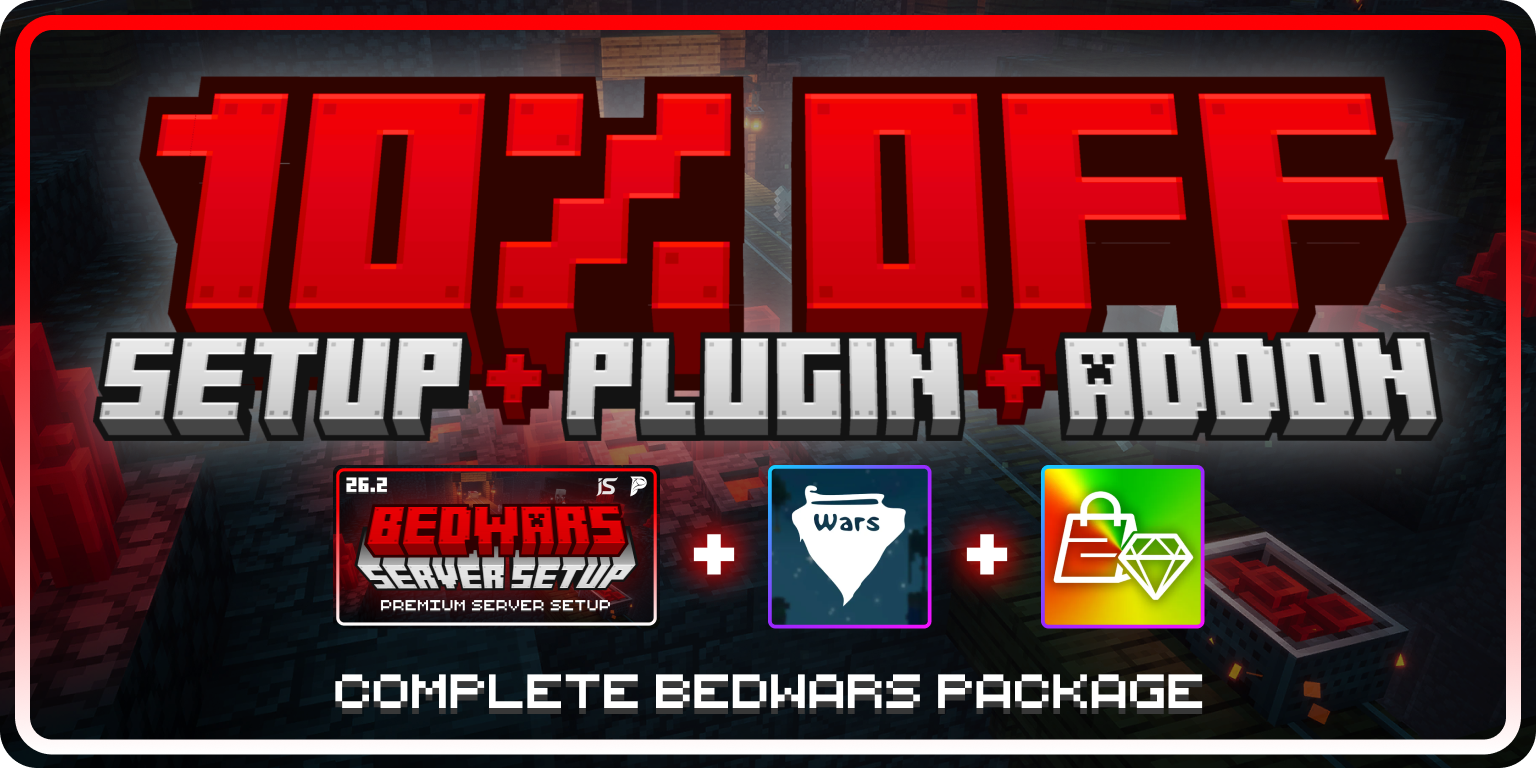
## BedWars Complete Bundle
Save **10%** when you purchase the BedWars setup, Marcely's Bedwars, and the Cosmetics & Coins add-on together.
Purchase the complete BedWars bundle and receive your 10% discount.
The Bedrock Compatibility Addon is sold separately and is not included in the bundle.
# Credits
Source: https://wiki.ph4ntom.org/server-setups/bedwars/crediting
Map attribution for the BedWars server setup.
## Map attribution
The BedWars setup includes maps sourced from the following resource:
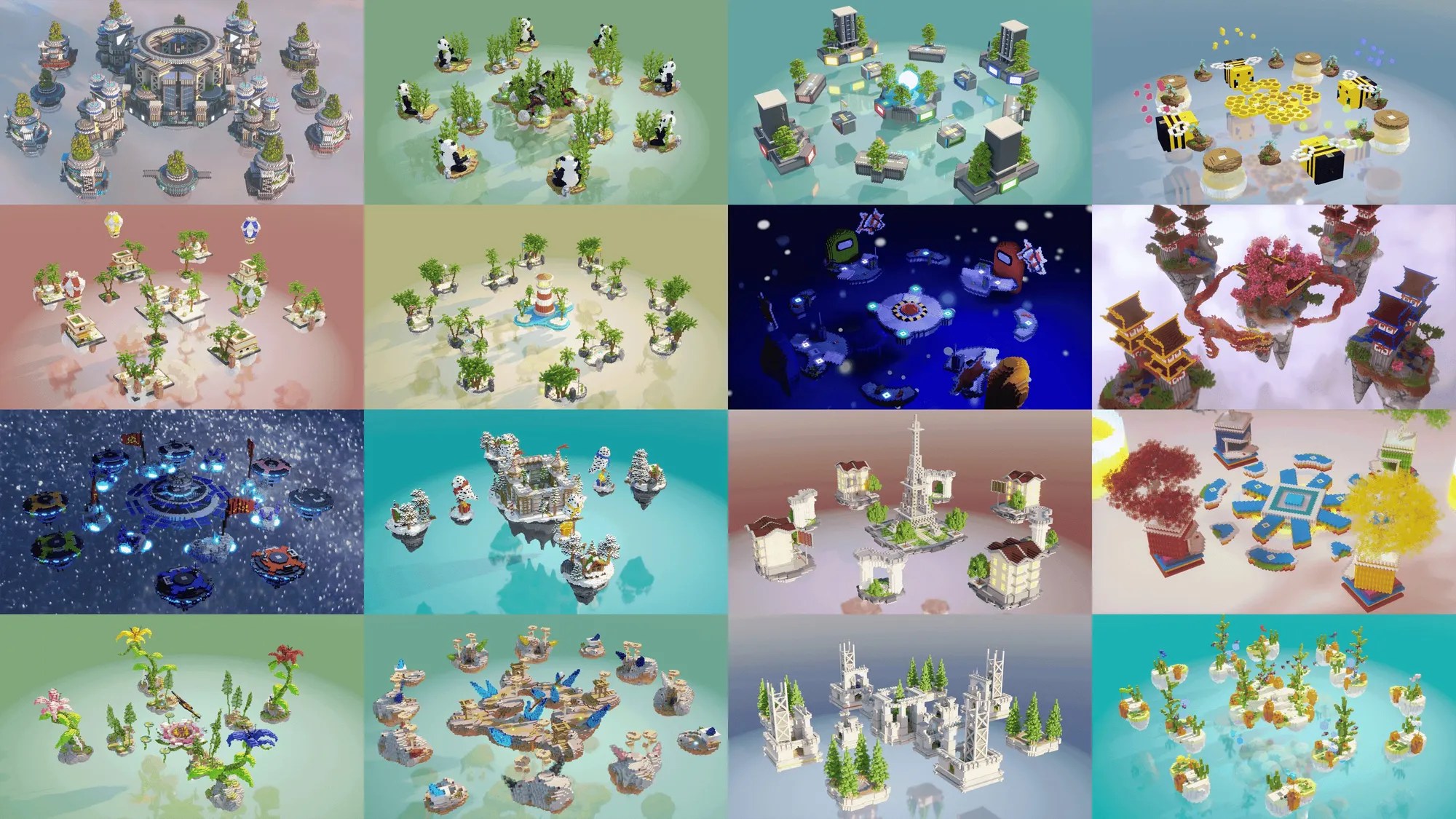
**Creator:** [PixelMine Builds](https://builtbybit.com/store/pixelmine-builds.36/)
A bundle of Extremely high-quality BedWars maps!
## Usage reminder
Please review the map resource's licence and usage terms before redistributing maps, removing attribution, or using them outside this setup.
If you identify a missing or incorrect credit, contact us on [Discord](https://discord.ph4ntom.org) so it can be corrected.
# Dependencies
Source: https://wiki.ph4ntom.org/server-setups/bedwars/dependencies
Required and optional plugins for the BedWars server setup.
## Dependency overview
Buying the BedWars setup, Marcely's Bedwars, and Cosmetics & Coins together qualifies for a **10% bundle discount**. Visit [Bundle & Savings](./bundle) before buying the individual products.
**Purpose:** Provides the BedWars game engine used by this setup.
This is a paid dependency and must be purchased and installed before the setup can run.
* [Purchase from MBedwars](https://mbedwars.com/product/marcelys-bedwars/)
* [Purchase from BuiltByBit](https://builtbybit.com/resources/marcelys-bedwars-est-2015.18827/?ref=351771)
**Purpose:** Adds the cosmetics and coins functionality used by the setup's cosmetic experience.
This paid MBedwars add-on is optional. Install it when you want to use the included cosmetics and coins features.
* [Purchase from MBedwars](https://mbedwars.com/product/cosmetics-coins/)
* [Purchase from BuiltByBit](https://builtbybit.com/resources/cosmetics-coins-mbedwars-add-on.24825/?ref=351771)
**Purpose:** Lets Minecraft Bedrock Edition players join your server through Geyser and Floodgate.
This add-on is purchased separately. Follow the [Bedrock Setup](./bedrock-setup) guide after installing it.
## Installation steps
Stop the server before adding or updating plugin files.
Download Marcely's Bedwars and any optional add-ons from the links above using the account that purchased them.
Place the downloaded JAR files in the server's `plugins/` folder. Do not extract JAR files unless the plugin's own documentation specifically says to.
Start the server and check the console for successful plugin enable messages. Resolve version or license errors before configuring gameplay.
Use compatible versions of the server software, Java, Marcely's Bedwars, and each add-on. Update the setup only after checking the change notes for each dependency.
# FAQs
Source: https://wiki.ph4ntom.org/server-setups/bedwars/faqs
Frequently asked questions about the BedWars server setup.
## Common questions
[Marcely's Bedwars](./dependencies) is required. Cosmetics & Coins and the Bedrock Compatibility Addon are optional, separately purchased additions.
Yes, with the separately purchased Bedrock Compatibility Addon. Follow the [Bedrock Setup](./bedrock-setup) guide to install Geyser and Floodgate and configure the Bedrock port.
Start with the [Brandings](./brandings) guide. Check the setup's delivered configuration files for server information, voting, books, MOTD, and message settings.
Confirm that Marcely's Bedwars loaded successfully, the server and plugin versions are compatible, and the console has no errors. Test the affected mode on a staging server before changing production settings.
Test all four modes, team selection, arena resets, shops, ranks, permissions, voting rewards, and player-facing links with a small group before opening the server.
## Need help?
If your question is not covered here, contact support on [Discord](https://discord.ph4ntom.org) with your server version, plugin versions, console error, and the steps that reproduce the issue.
# Information
Source: https://wiki.ph4ntom.org/server-setups/bedwars/information
Features, requirements, and getting-started guidance for the BedWars server setup.

## Overview
The [**BEDWARS - Premium Server Setup**](https://builtbybit.com/resources/bedwars-premium-server-setup.128424/) is a ready-to-use BedWars experience by [Ph4ntom](https://builtbybit.com/members/ph4ntom.351771/) and [Immortal Studios](https://builtbybit.com/members/immortal-studios.471544/). It includes four queue modes, 30+ maps, a polished spawn, progression systems, and server-wide branding tools.
## Setup requirements
[Marcely's Bedwars](https://mbedwars.com/product/marcelys-bedwars/) is a paid, required dependency. See [Dependencies](./dependencies) for purchase and installation links.
Cosmetics & Coins and the separately purchased Bedrock Compatibility Addon extend the setup but are not required for a Java-only BedWars server.
## System Requirements
Use **[Paper 26.2](https://papermc.io/downloads/)** or a stable fork.
**Possible forks:** Purpur, Pufferfish, or Leaf
The setup has only been tested on Paper 26.2. Use the forks at your own preference.
You must use **Java 25** to run this setup.
Older versions (Java 21/17/16) will NOT work
**Minimum:** 3-4 GB+ RAM for smooth gameplay without lag
Visit the [Dependencies](./dependencies) page for the purchase and installation links.
## Core features
* **Four BedWars modes** — Solos, Duos, Trios, and Quads with matchmaking and fast starts
* **30+ arena maps** — Automatic arena resets after each game
* **Team selection** — Players choose teams before the game begins
* **Generator splitter** — Shares resources fairly between nearby teammates
* **Team upgrades and traps** — Strengthen your team during a match
* **Private games** — A donor perk for hosting matches with friends
* **Guilds and parties** — Queue with friends and build a guild community
* **Polished spawn** — A ready-made lobby with parkour and jump pads
* **Custom join menu** — Quickly select a game mode
* **Modern GUIs** — Menus for modes, shops, cosmetics, stats, and settings
* **Holograms** — Highlight leaderboards, server information, and features
* **Personal statistics** — Track wins, kills, and progression
* **Leaderboards** — All-time, daily, weekly, and monthly rankings in holograms and menus
* **Guild leaderboards** — Guilds compete for the top spot
* **XP multipliers** — Reward donors and events with boosted XP
* **Daily rewards and voting** — Encourage regular player return and voting
* **Coin and cosmetic shops** — Unlock cosmetics, ranks, and rewards with earned coins
* **BedWars cosmetics** — Personalize the in-game experience
* **Rank shop and upgrades** — Sell and upgrade ranks through in-game menus
* **Donator and staff ranks** — Pre-built permissions and perks
* **Chat colors** — Let eligible players customize their chat appearance
* **Dynamic scoreboards** — Views for spawn, lobby, in-game, and spectating phases
* **Animated tablist and MOTD** — A premium server-list and in-game presentation
* **Welcome, leave, and death messages** — Customizable player messaging
* **Guide, rules, Discord, and store books** — Help players discover the server
* **Easy branding** — Update server identity from central configuration files
## Getting started
Check the setup's supplied version notes, then install Marcely's Bedwars before starting the server.
Upload the setup files to a clean server installation and start it once to generate any required files.
Update your branding, network links, ranks, and game settings before opening the server to players.
Test Solos, Duos, Trios, Quads, arena resets, shops, and permissions with a small group first.
Open the server after testing and monitoring the console for dependency or configuration errors.
## Next steps
Buy the BedWars setup, Marcely's Bedwars, and Cosmetics & Coins together to receive a 10% bundle discount.
Purchase and install the required BedWars plugin and optional cosmetics add-on.
Update server information, social links, voting links, and player-facing messaging.
Let Bedrock Edition players connect with the Bedrock Compatibility Addon.
Review the map resource used by this setup.
Before going live, replace any example branding values and verify server-version compatibility against the files delivered with your purchase.
# Brandings
Source: https://wiki.ph4ntom.org/server-setups/lifesteal/brandings
Customize your Lifesteal server with available branding elements.
## Overview
The Lifesteal setup includes extensive branding capabilities through RocketPlaceholders. Customize your server's social links, server information, voting links, and more with dedicated configuration files for maximum flexibility.
## Configuration Files
**File:** `plugins/RocketPlaceholders/placeholders/server-info.yml`
Configure core server information that displays to players.
**Available Customizations:**
* **server\_name** - Your server's display name
* **server\_ip** - Server IP address for players to connect
* **website** - Your official website URL
* **store** - Your server store/shop link
* **vote** - Main voting link
* **discord** - Your Discord server link
* **discord\_vanity** - Custom Discord vanity URL
These placeholders are used in welcomes, MOTD, and various plugin messages.
**File:** `plugins/RocketPlaceholders/placeholders/socials.yml`
Configure your social media links to display throughout your server.
**Available Customizations:**
* **Twitch** - Your Twitch channel link
* **YouTube** - Your YouTube channel link
* **Facebook** - Your Facebook page link
* **Instagram** - Your Instagram profile link
* **TikTok** - Your TikTok profile link
Use these placeholders in chat, messages, or scoreboard displays to promote your social media.
**File:** `plugins/RocketPlaceholders/placeholders/voting.yml`
Configure up to 5 different voting sites that players can vote on.
**Available Customizations:**
* **vote\_1\_name** & **vote\_1\_link** - First voting site name and link
* **vote\_2\_name** & **vote\_2\_link** - Second voting site name and link
* **vote\_3\_name** & **vote\_3\_link** - Third voting site name and link
* **vote\_4\_name** & **vote\_4\_link** - Fourth voting site name and link
* **vote\_5\_name** & **vote\_5\_link** - Fifth voting site name and link
Display multiple voting options to encourage players to vote for your server.
**File:** `plugins/DiscordSRV/config.yml`
Configure Discord integration for your server players.
**Available Customizations:**
* **DiscordInviteLink** (Line 36) - Your Discord server invitation link shown to players when using `/discord` command and displayed to unlinked players when linking is enforced
**Example Configuration:**
```yaml theme={null}
# Invitation link shown to players when using /discord and on the message shown to unlinked players when linking is enforced
DiscordInviteLink: "https://discord.gg/servername"
```
Players can join your Discord server directly through an in-game command or prompt.
**Reload and Test**
* Run `/discordsrv reload` or restart the server to apply changes and test in-game
**File:** `plugins/Essentials/motd.txt`
Customize the welcome message displayed when players join your server.
**Available Customizations:**
* **discord** - Your Discord server link/invite
* **store** - Your server store link
* **website** - Your official website URL
This file displays at player login and is perfect for promoting your social channels and services.
**File:** `plugins/TAB/animations.yml`
Create animated text effects in your TAB list using colorful gradient animations. The default Lifesteal animations use a red-to-purple gradient with primary color **#FF0F40** and secondary color **#FF4497**.
**Available Customizations:**
* **Server Name Animation** - Animated display name with gradient effects (default change-interval: 100ms)
* **IP Animation** - Animated IP address with scrolling colors (default change-interval: 50ms)
* **change-interval** - Speed of animation in milliseconds (lower = faster)
* **texts** - Array of color variations for smooth animation frames
## How to Create Animations with AnimTab Generator
Follow these steps to generate custom animations:
Go to [AnimTab Generator](https://www.birdflop.com/resources/animtab/)
In the **Input Text** field, type what you want to animate (e.g., "Lifesteal" or "play.yourserver.net")
Under the **Colors** section:
* Set **Color 1** to your primary color (e.g., #FF0F40 for red)
* Set **Color 2** to your secondary color (e.g., #FF4497 for purple)
* Adjust **Gradient Length** for how many color steps (24 is recommended)
* Adjust **Characters per color** to control gradient smoothness (1 is recommended)
In the **Output** section:
* Set **Animation Interval (ms)** to your desired speed (100 for name, 50 for IP)
* Keep **Animation Style** as "Normal (Left → Right)" for standard animation
* Set **Color Format** to "\&#rrggbbdd" for Minecraft color codes
Click Generate and the tool will create all animation frames
Click **Copy** to copy the generated RGB text code
Open `plugins/TAB/animations.yml` and paste the output under the appropriate section (Lifesteal or IP)
The copied code needs to be formatted as:
```yaml theme={null}
Lifesteal:
change-interval: 100
texts:
- "&#FF0F40&lL&#FF164B&lI&#FF1C56&lF..." # Copy each generated line here
- "&#FF164B&lL&#FF0F40&lI&#FF164B&lF..."
# ... continue with all frames
```
```yaml theme={null}
IP:
change-interval: 50
texts:
- "&#FF2450ᴘ&#FF2755ʟ&#FF2A59ᴀ&#FF2D5Eʏ..." # Copy each generated line here
- "&#FF2755ᴘ&#FF2450ʟ&#FF2755ᴀ&#FF2A59ʏ..."
# ... continue with all frames
```
Run `/tab reload` or restart the server to apply changes and test in-game
**Pro Tips:**
* Use Primary Color **#FF0F40** and Secondary Color **#FF4497** for the default Lifesteal red-to-pink gradient
* Lower change-interval values (50-75ms) create faster animations
* Higher gradient lengths (20-30) create smoother color transitions
* Test animations in-game before deploying to ensure they look correct
* For **small caps text** in animations, use [**Small Caps Generator**](https://smallcaps.app) to convert your text before adding it to the AnimTab Generator
## Quick Setup
Go to `plugins/RocketPlaceholders/placeholders/` in your server
Open `socials.yml` and add your social media links
Open `server-info.yml` and set your server details
Open `voting.yml` and add your 5 voting site links
Open `plugins/DiscordSRV/config.yml` and set your DiscordInviteLink on line 36 (e.g., `https://discord.gg/servername`)
Open `motd.txt` in the `plugins/Essentials/` folder and add your Discord, store, and website links
Use the [AnimTab Generator](https://www.birdflop.com/resources/animtab/) to create custom animations. Generate code with primary color #FF0F40 and secondary color #FF4497, then paste into `plugins/TAB/animations.yml`
Run `/rp reload`, `/tab reload`, and `/discordsrv reload` or restart the server to apply all branding changes
Join your server to verify all links, MOTD, and animations display correctly
## Tips & Best Practices
All four configuration files (Server Info, Socials, Voting, and MOTD) work together to create a comprehensive branding system. Keep your links and information up-to-date to ensure players always have current contact information.
* **Keep URLs Current** - Update links if social media or store pages change
* **Use Short Links** - Consider using URL shorteners for better appearance
* **Test All Links** - Verify each link works before deployment
* **Update Regularly** - Add new socials or voting sites as needed
* **Reload After Changes** - Remember to reload the plugin to see updates in-game
Use placeholders throughout your server in scoreboards, motd, and chat to maximize engagement with your branding!
# Dependencies
Source: https://wiki.ph4ntom.org/server-setups/lifesteal/dependencies
Required plugins for the Lifesteal server setup.
## Required Dependencies
To enable NPC features (Shop, Quests, and more), you must download and install the following plugins manually on your server.
**Purpose:** Creates and manages NPCs for your server
Citizens enables interactive non-player characters that can serve as shopkeepers, quest givers, and more.
**Available Versions:**
* **Free Version:** [Download from CI Server](https://ci.citizensnpcs.co/job/citizens2/)
* **Premium Version:** [Download from SpigotMC](https://www.spigotmc.org/resources/citizens.13811/)
Both versions work with the Lifesteal setup. Choose based on your needs and budget.
**Purpose:** Allows NPCs to display custom skins and appearances
Lib's Disguises is required for NPC skins to function properly with Ultra Cosmetics.
**Available Versions:**
* **Free Version:** [Download from SpigotMC](https://www.spigotmc.org/resources/libs-disguises-free.81/)
* **Premium Version:** [Download from SpigotMC](https://www.spigotmc.org/resources/libs-disguises-premium.32453/)
The Premium version has more features, but the Free version is sufficient for the Lifesteal setup.
## Installation Steps
Download both Citizens and Lib's Disguises from the links above
Extract the downloaded JAR files from any ZIP archives
Place the JAR files in your server's `plugins/` folder
Restart your server to load the new plugins
Check that both plugins loaded successfully in the console
**Important:** Both Citizens and Lib's Disguises must be installed for NPC features to work properly. Without these dependencies, NPC shops and quests will not function.
# FAQs
Source: https://wiki.ph4ntom.org/server-setups/lifesteal/faqs
Frequently asked questions about the Lifesteal server setup.
No frequently asked questions have been documented yet. As questions are collected from the community, they will be added to this page.
## Common Topics
Questions about getting the server up and running, uploading files, installing dependencies, and initial configuration.
How to modify events, shops, progression systems, and other features to fit your server's needs.
Troubleshooting Citizens, Lib's Disguises, and other required plugins.
Tips for optimizing server performance and reducing lag for your players.
Information about NPCs, shops, quests, and other advanced features.
## Need Help?
If you encounter any issues or have questions that aren't covered here, please reach out to support on our [Discord](https://ph4ntom.org/discord). We're here to help!
# Information
Source: https://wiki.ph4ntom.org/server-setups/lifesteal/information
Comprehensive information about the Lifesteal server setup, features, and requirements.

## Overview
The [**LIFESTEAL - Premium Server Setup**](https://builtbybit.com/resources/lifesteal-premium-server-setup.81058/) is a fully-featured, ready-to-use survival gamemode with advanced RPG mechanics. Built by [Ph4ntom](https://builtbybit.com/members/ph4ntom.351771/), this setup includes everything you need to run a professional Lifesteal server with custom events, progression systems, and engaging cosmetics.
## System Requirements
Use **[Paper 1.21.8](https://papermc.io/downloads/)** or a stable fork.
**Recommended forks:** Purpur, Pufferfish, or Leaf
You must use **Java 21** to run this setup.
Older versions (Java 17/16) will NOT work
**Minimum:** 6 GB+ RAM for smooth gameplay without lag
## Core Features
* **Events** — Custom server events and activities
* **Envoys** — Airdrop events with rewards
* **KOTH** — King of the Hill competitive gameplay
* **Arena** — PvP arena for organized battles
* **Combat Log** — Track player combat sessions
* **Bounties** — Place bounties on other players
* **RTP System** — Random teleport to explore
* **Teams** — Join teams and cooperate with allies
* **Skills** — Leveling system for different abilities
* **Levels System** — Overall player progression
* **Experience** — Earn XP from activities
* **Playtime** — Track player engagement
* **Perks** — Unlock special abilities
* **Ranks** — Tier-based player ranking
* **Coins** — In-game currency system
* **Server Shop** — Buy items with coins
* **Coins Shop** — Specialized currency shop
* **Auction House** — Player-to-player trading
* **Trading** — Direct player trades
* **Coin Flip** — Gamble with coins
* **Lottery** — Win big with lottery tickets
* **Homes** — Set personal home locations
* **Backpacks** — Extra storage for items
* **Kits** — Starter and special item kits
* **Pets** — Companion pets for players
* **Gadgets** — Unique gadgets and tools
* **Daily Rewards** — Log in rewards
* **Crates** — Reward crates with prizes
* **Quests** — Complete quests for rewards
* **Voting** — Vote for rewards
* **Vouchers** — Redeemable reward vouchers
* **Cosmetics** — Custom cosmetic items
* **Glows** — Player glow effects
* **Chat Colors** — Colorful player messages
* **Particles** — Visual particle effects
* **Disguises** — Disguise as other players or mobs
* **Custom Chat** — Personalized chat formatting
* **Tags** — Custom player tags
* **Tab** — Customizable tab list display
* **Scoreboards** — In-game scoreboards and stats
* **NPCs** — Interactive non-player characters
* **Spawn** — Custom spawn location
* **Portals** — Teleportation portals
* **Sit** — Sit on blocks
* **Flight** — Creative mode flight
* **Leaderboards** — Display top performers
* **Statistics** — Track player stats
* **Announcements** — Server announcements
* **Guide Menu** — In-game help menu
* **Easy Branding** — Simple branding customization
* **AFK Zone** — Designate AFK areas
* **Documentation** — Comprehensive setup guide
* **Free Plugins** — Included open-source plugins
* **Custom Theme** — Premium message designs
## Getting Started
Ensure your server meets all system requirements listed above
Download the setup files and upload them to your server
Install required plugins (Citizens and Lib's Disguises)
Customize brandings in the plugin configuration files
Set up your events, shops, and progression systems
Start your server and enjoy!
## Next Steps
Learn about required plugins and installation.
Customize your server's branding and messaging.
View the resource on BuiltByBit marketplace.
Join our Discord community for full support.
**Premium Features:** Every message is custom-designed with a premium theme you won't find in other setups. Enjoy a truly unique server experience!
# Brandings
Source: https://wiki.ph4ntom.org/server-setups/lobby/brandings
Customize your Premium Lobby server with easy branding configuration.
## Overview
The Premium Lobby setup features an incredibly easy branding system. **Change your entire server branding by editing just ONE configuration file!** This includes your server name, IP, Discord links, website, vote links, and more.
## Single File Branding Configuration
**Main Branding File:** `plugins/RocketPlaceholders/placeholders/server-info.yml`
Simply edit this one file to update all branding elements across your entire lobby server.
## Available Customizations
**Core Server Details**
* **server\_name** - Your lobby server's display name
* **server\_ip** - IP address for players to connect
* **motd** - Message of the Day (visible in server list)
These display in the MOTD, welcome messages, and various menus.
**Community Connections**
* **website** - Your official website URL
* **discord** - Your Discord server invite link
* **discord\_vanity** - Custom Discord vanity URL (e.g., discord.gg/yourname)
* **store** - Your server store/shop link
* **vote** - Main voting page link
These links appear in the Socials Menu and Vote Menu for easy player access.
**Promote Your Channels**
* **twitch** - Your Twitch channel
* **youtube** - Your YouTube channel
* **tiktok** - Your TikTok profile
* **instagram** - Your Instagram profile
* **twitter** - Your Twitter/X profile
Players can quickly access your social media from the lobby!
## How to Update Branding
Navigate to `plugins/RocketPlaceholders/placeholders/server-info.yml`
Update the URLs and names to match your server
Save the configuration file
Run `/rp reload` or restart your server
Check that all links and names display correctly in the lobby menus
Pro tip: Update your branding frequently to promote seasonal events, new partners, or updated social media handles!
## Need Help?
If you need assistance with branding customization or have questions about which links to add, join our [Discord](https://ph4ntom.org/discord) for support!
# Dependencies
Source: https://wiki.ph4ntom.org/server-setups/lobby/dependencies
Required and optional plugins for the Lobby Server Setup.
## Installation Overview
The Premium Lobby Server Setup is **extremely easy to install** — it requires **only a server.jar file**. Everything else is pre-configured and ready to use!
## What You Need
**Download:** [Paper 1.21.8](https://papermc.io/downloads/)
Simply download the server jar and upload it to your server directory. Detailed installation instructions are included in the `READ_ME.txt` file.
**Version:** 1.21.8 is preferred, but any stable modern Paper version works.
**Purpose:** Support players on older Minecraft versions (1.16+)
If you want players on older versions to join your server, the setup uses viaBackwards for compatibility.
**Note:** This is pre-configured and included in the setup.
## Installation Steps
Extract the Premium Lobby Setup files to your server directory
Download Paper 1.21.8 from [papermc.io](https://papermc.io/downloads/) and upload it to your server directory
Run the server jar to start your lobby
Your Professional Lobby is now live!
## Included Components
The setup comes pre-loaded with the following configurations:
* ✅ Server Selector NPCs
* ✅ Social Media Menus
* ✅ Vote Links System
* ✅ Rank System (8 Ranks)
* ✅ Parkour Setup
* ✅ Parkour Leaderboards
* ✅ Custom TAB & Scoreboard
* ✅ Holograms System
* ✅ Bossbar Announcer
* ✅ Chat Protection
* ✅ Flight System
* ✅ Player Hider
* ✅ Information Books
## No Paid Plugins Required
This setup uses **100% free, open-source plugins** to deliver a professional lobby experience. No paid plugins mean lower operational costs while maintaining premium quality!
If you need any help or support during installation, join our [Discord](https://ph4ntom.org/discord) and create a support ticket. Our team is here to help!
# Information
Source: https://wiki.ph4ntom.org/server-setups/lobby/information
Comprehensive information about the Lobby Server Setup, features, and requirements.

## Overview
The [**LOBBY - Premium Server Setup**](https://builtbybit.com/resources/premium-lobby-server-setup.38294/) is a fully-featured, modern-looking lobby server designed to impress your players and boost engagement. Built by [Ph4ntom](https://builtbybit.com/members/ph4ntom.351771/), this setup features professional design, engaging content, and easy-to-use branding customization—all with no paid plugins required.
**Native Version:** 1.21.1 | **Backward Compatible:** 1.16+ (with viaBackwards)
## System Requirements
Use **[Paper 1.21.8](https://papermc.io/downloads/)** or a stable fork.
**Version:** 1.21.8 is preferred, but any modern Paper version works with viaBackwards for 1.16+ support.
**None Required!** This setup includes everything needed and uses only free plugins.
**Minimum:** 2-3 GB RAM (Lobbies are lightweight!)
**Recommended:** 4+ GB for smooth multi-server connectivity
## Core Features
Interactive NPCs that connect players to different servers
Easy access to Discord, website, and social media links
Quick voting links for player engagement
8 purchaseable ranks with unique perks and cosmetics
Auto-generating parkour for engaging players
Competitive leaderboards for top performers
Floating text and images above NPCs and locations
Professional server information displays
## Additional Features
* **Flight System** - Time-based flight rewards
* **Info Book** - Server information guide for players
* **Bossbar Announcer** - Broadcast messages to all players
* **Chat Protection** - Anti-spam and swear word filtering
* **Player Hider** - Hide other players to reduce lag
* **Easy Branding** - Change entire server branding from one configuration file
* **Hex Gradients** - Modern gradient colors throughout
* **Professional Decorations** - Beautiful lobby environment
* **No Paid Plugins** - Everything uses free, open-source plugins
## Experience the Setup
It's preferred to use the BuiltByBit Test Server feature to experience this setup before deploying. This gives you a live preview of all features!
If the test server isn't available, you can request a test server invite on our [Discord](https://ph4ntom.org/discord).
# Brandings
Source: https://wiki.ph4ntom.org/server-setups/practice/brandings
Customize your Practice server with available branding elements.
## Available Branding Elements
The Practice setup includes several branding options that you can customize to match your server's identity:
Server Discord community branding. Link your Discord server and display it to players.
Custom store branding and links. Promote your server store to players.
Server website branding. Direct players to your official server website.
Server IP address display. Show players how to connect to your server.
Vote link branding and incentives. Encourage players to vote for your server.
## Configuration Files
**File Location:** `plugins/RocketPlaceholders/placeholders/server-info.yml`
This file contains placeholder configurations for server information displays. You can customize how server details (Discord, Store, Website, IP, Vote links) are shown throughout your server using placeholders and formatting options.
**File Location:** `plugins/Essentials/motd.txt`
This file controls the Message of the Day (MOTD) displayed to players when they join the server. Use this to welcome players and promote your Discord, store, website, and voting links directly on their login screen.
**File Location:** `plugins/MiniMOTD/main.conf` (line 18-19)
This file controls the MOTD displayed in the server list when players browse for servers. Customize the server description that appears before players even join to make a great first impression.
## Tips & Best Practices
Add color codes (`&c`, `&6`, etc.) or hex codes (`&#FFFFFF`) in text files for colorful and engaging branding
Keep your MOTD updated to inform players about server updates, events, and news
Add direct links to your Discord and store in the brandings for easy player access
After editing configuration files, test them in-game to ensure they display correctly
Remember to reload your plugins after making changes to see the updated brandings in-game!
# Credits
Source: https://wiki.ph4ntom.org/server-setups/practice/crediting
Proper attribution to map creators used in the Practice Setup
## Map Attribution
The [**PRACTICE - Premium Server Setup**](https://builtbybit.com/resources/practice-premium-server-setup.88552/) features several maps created by talented builders and designers in the Minecraft community. We're proud to credit their work and encourage you to check out their other projects!
## Featured Maps
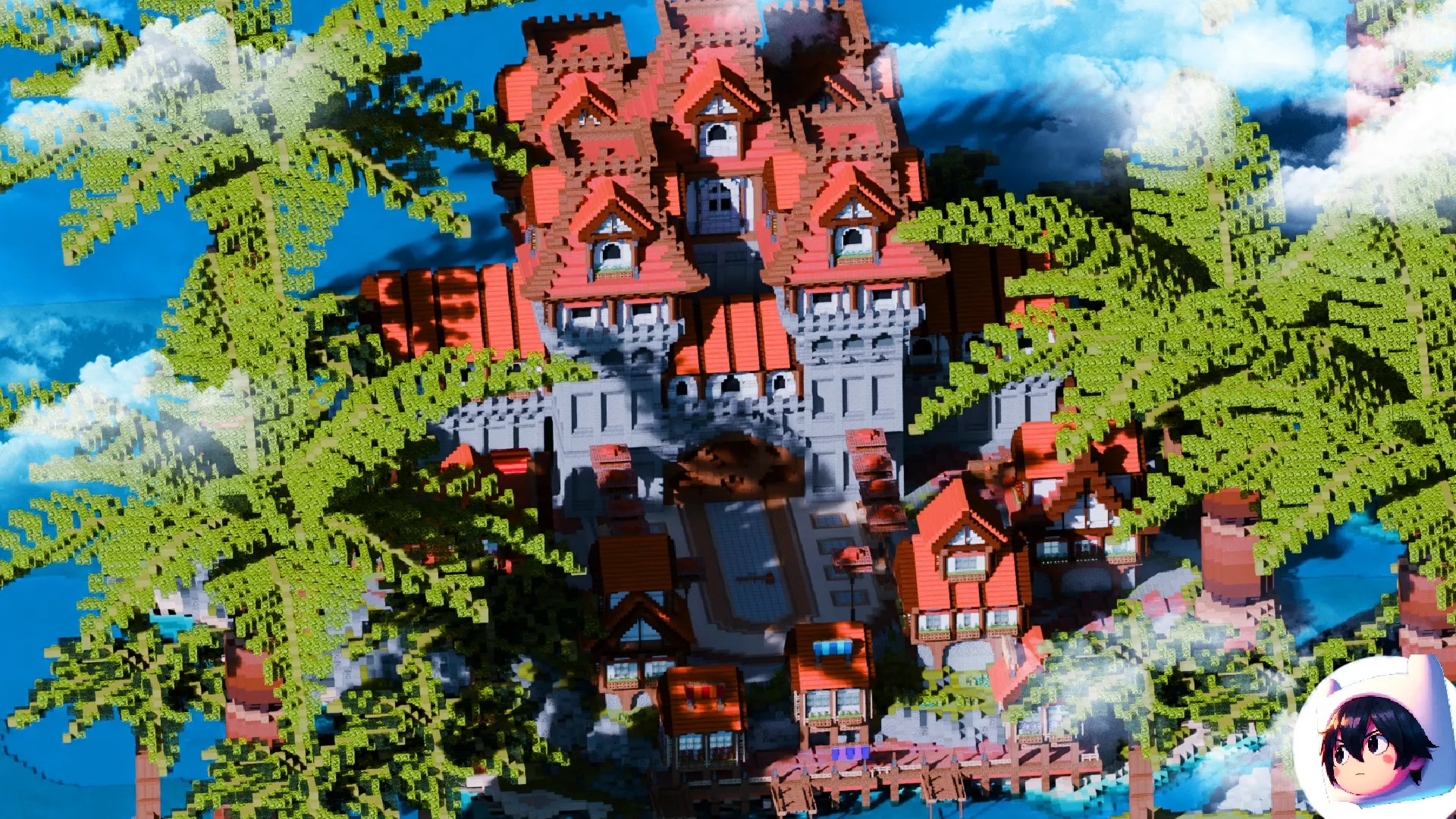
**Creator:** [FIKKU](https://builtbybit.com/members/fikku.249294/)
A beautiful medieval tropic island spawn area (200x200) featuring clean design and impressive terraforming. Perfect for creating a welcoming first impression for your players.
[View on BuiltByBit](https://builtbybit.com/resources/free-spawn-medieval-island-200x200.41908/?ref=discover)
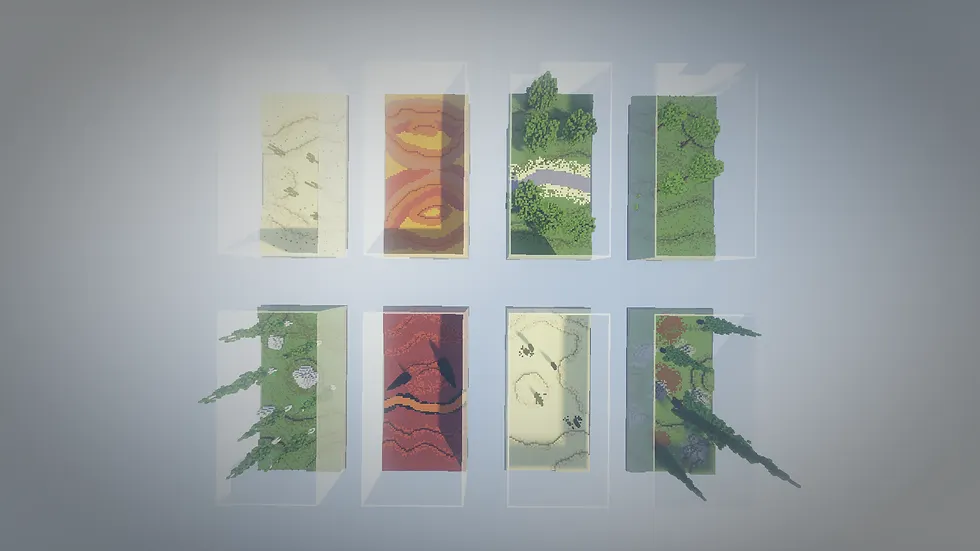
**Creator:** [PixelMine Builds](https://builtbybit.com/store/pixelmine-builds.36/)
8 professionally designed 1v1 arena maps perfect for competitive practice matches. Each arena features unique designs and balanced gameplay areas.
[View on BuiltByBit](https://builtbybit.com/resources/8-1v1-arenas.11843/)
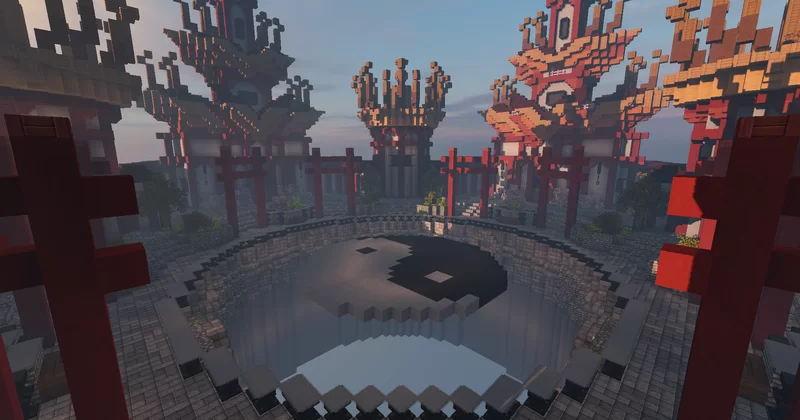
**Creator:** [MEGA777](https://www.planetminecraft.com/member/mega777/)
A stunning yin-yang themed sumo arena with custom terrain and advanced builder techniques. An impressive showcase of creative building and design.
[View on Planet Minecraft](https://www.planetminecraft.com/project/yinyang-sumo-arena/)
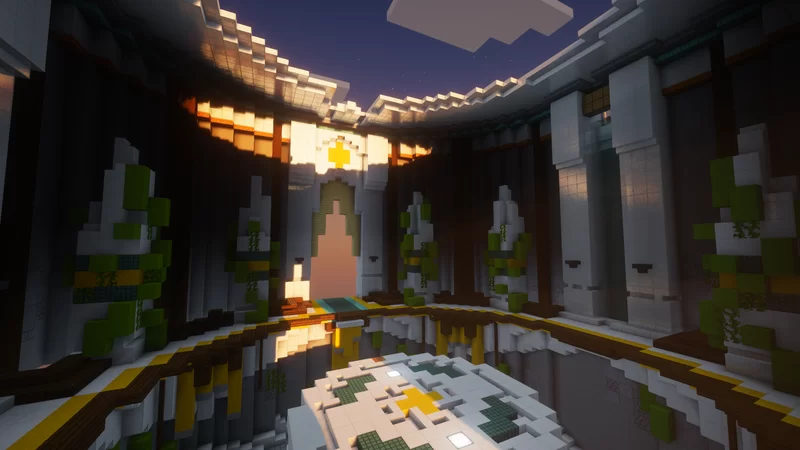
**Creator:** [MCMystical](https://www.planetminecraft.com/member/mcmystical/)
A professional Olympic-style sumo arena featuring elegant design and immersive theming. Created as a demonstration of arena-building expertise for Minecraft 1.8.9+.
[View on Planet Minecraft](https://www.planetminecraft.com/project/olympic-sumo-6097668/)
## Support the Creators
We highly encourage you to:
If you're using these maps, consider leaving a review on BuiltByBit or Planet Minecraft to support the creators!
Many of these creators have other amazing projects available. Check out their profiles to see what else they've created.
If you love these maps, consider supporting the creators through their respective platforms or by purchasing their other resources.
## Terms of Use
All maps included in the Practice Setup are used with proper attribution and in accordance with their respective licenses. Please respect the creators' work and follow any usage guidelines they've specified.
If you're a map creator and your work is featured here but you'd like it removed or credited differently, please contact us on [Discord](https://ph4ntom.org/discord) and we'll update it immediately.
# FAQs
Source: https://wiki.ph4ntom.org/server-setups/practice/faqs
Frequently asked questions about the Practice server setup.
No frequently asked questions have been documented yet. As questions are collected from the community, they will be added to this page.
## Common Topics
Questions about getting the server up and running, uploading files, and initial configuration.
How to modify features to fit your server's needs and preferences.
Tips for optimizing server performance and reducing lag for your players.
Information about ensuring compatibility with other plugins and server mods.
## Need Help?
If you encounter any issues or have questions that aren't covered here, please reach out to support on our [Discord](https://ph4ntom.org/discord). We're here to help!
# Information
Source: https://wiki.ph4ntom.org/server-setups/practice/information
Comprehensive information about the Practice server setup, features, and requirements.

## Overview
The [**PRACTICE - Premium Server Setup**](https://builtbybit.com/resources/practice-premium-server-setup.88552/) is a fully-featured, ready-to-use server gamemode designed for competitive practice gameplay. Built by [Ph4ntom](https://builtbybit.com/members/ph4ntom.351771/) & [Immortal Studios](https://builtbybit.com/members/immortal-studios.471544/), this setup includes everything you need to run a professional practice server.
#### Core Plugin
The practice setup utilizes a **custom-made fork of [Neptune Practice Core](https://builtbybit.com/resources/neptune-practice-core.44588/)** as its core plugin. This fork was developed by [Ph4ntom](https://builtbybit.com/members/ph4ntom.351771/) ([GitHub](https://github.com/Ph4ntooom/Neptune)) to fix issues and add additional features beyond the original plugin, providing an enhanced foundation for all practice gameplay features, arena management, and party systems.
## System Requirements
Use **[Paper 1.21.8](https://papermc.io/downloads/)** or a stable fork.
**Recommended forks:** Purpur, Pufferfish, or Leaf
You must use **Java 21** to run this setup.
Older versions (Java 17/16) will NOT work
**Minimum:** 3-4 GB+ RAM for smooth gameplay without lag
This setup is completely standalone — no additional plugins or dependencies required.
## Core Features
* **10+ Arenas** — Multiple practice arenas for different playstyles
* **25+ Kits** — Extensive kit selection for players to choose from
* **Party System** — Team up with other players
* **Divisions** — Skill-based player ranking system
* **Queue System** — Organized matchmaking and queuing
* **Kit Editor** — Allow players to customize kits to their preference
* **Player Stats** — Track individual player performance
* **Leaderboards** — Display top performers
* **Ranks** — Tier-based progression system
* **Rank Rewards** — Unlock rewards based on rank
* **Elo Boards** — Competitive rating system for matches
* **Daily Rewards** — Encourage daily engagement
* **Player Tags** — Custom name tags and prefixes
* **Chat Colors** — Colorful player messages
* **Pets** — Companion pets for players
* **Particles** — Visual particle effects
* **Projectiles** — Custom projectile effects
* **Death Effects** — Visual effects on player death
* **Kill Effects** — Celebrate kills with special effects
* **Kill Messages** — Customizable death announcements
* **NPCs** — Interactive non-player characters
* **Holograms** — Floating text displays
* **Welcome Holo** — Greeting holograms for new players
* **Tab** — Customizable tab list display
* **Scoreboards** — In-game scoreboards and stats
* **Queue NPCs** — NPCs for joining queues
* **Messages** — Custom server messages and announcements
* **Coinshop** — In-game currency shop system
* **Join MOTD** — Custom message displayed on join
* **Server MOTD** — Server list message of the day
## Getting Started
Ensure your server meets all system requirements listed above
Download the setup files and upload them to your server
Customize brandings in the plugin configuration files
Set up your arenas, kits, and reward systems
Start your server and enjoy!
## Support
Need help? Join our community on [Discord](https://ph4ntom.org/discord) and open a support ticket. We provide full support for this resource.
## Next Steps
Learn how to customize your server's branding and MOTD.
Check common questions and troubleshooting tips.
View proper attribution to map and content creators.
View the resource on BuiltByBit marketplace.
**Already set up?** Customize your arenas, kits, and rewards in the configuration files for a unique practice experience.
# Brandings
Source: https://wiki.ph4ntom.org/server-setups/tnt-games/brandings
Customize your TNT Games server with available branding elements.
## Available Branding Elements
The TNT Games setup includes several branding options that you can customize to match your server's identity:
Server Discord community branding. Link your Discord server and display it to players.
Custom store branding and links. Promote your server store to players.
Server website branding. Direct players to your official server website.
Server IP address display. Show players how to connect to your server.
Vote link branding and incentives. Encourage players to vote for your server.
## Configuration Files
**File Location:** `plugins/RocketPlaceholders/placeholders/server-info.yml`
This file contains placeholder configurations for server information displays. You can customize how server details (Discord, Store, Website, IP, Vote links) are shown throughout your server using placeholders and formatting options.
**File Location:** `plugins/Essentials/motd.txt`
This file controls the Message of the Day (MOTD) displayed to players when they join the server. Use this to welcome players and promote your Discord, store, website, and voting links directly on their login screen.
## Tips & Best Practices
Add color codes (`&c`, `&6`, etc.) or hex codes (`&#FFFFFF`) in text files for colorful and engaging branding
Keep your MOTD updated to inform players about server updates, events, and news
Add direct links to your Discord and store in the brandings for easy player access
After editing configuration files, test them in-game to ensure they display correctly
Remember to reload your plugins after making changes to see the updated brandings in-game!
# Credits
Source: https://wiki.ph4ntom.org/server-setups/tnt-games/crediting
Proper attribution to map creators used in the TNT Games Setup
## Map Attribution
The [**TNT GAMES - Premium Server Setup**](https://builtbybit.com/resources/tnt-games-premium-server-setup.92583/) features several maps created by talented builders and designers in the Minecraft community. We're proud to credit their work and encourage you to check out their other projects!
## Featured Maps

**Creator:** [FIKKU](https://builtbybit.com/members/fikku.249294/)
A beautiful medieval tropic island spawn area (200x200) featuring clean design and impressive terraforming. Perfect for creating a welcoming first impression for your players.
[View on BuiltByBit](https://builtbybit.com/resources/free-spawn-medieval-island-200x200.41908/?ref=discover)

**Creator:** [PixelMine Builds](https://builtbybit.com/store/pixelmine-builds.36/)
8 professionally designed 1v1 arena maps perfect for competitive practice matches. Each arena features unique designs and balanced gameplay areas.
[View on BuiltByBit](https://builtbybit.com/resources/8-1v1-arenas.11843/)

**Creator:** [MEGA777](https://www.planetminecraft.com/member/mega777/)
A stunning yin-yang themed sumo arena with custom terrain and advanced builder techniques. An impressive showcase of creative building and design.
[View on Planet Minecraft](https://www.planetminecraft.com/project/yinyang-sumo-arena/)

**Creator:** [MCMystical](https://www.planetminecraft.com/member/mcmystical/)
A professional Olympic-style sumo arena featuring elegant design and immersive theming. Created as a demonstration of arena-building expertise for Minecraft 1.8.9+.
[View on Planet Minecraft](https://www.planetminecraft.com/project/olympic-sumo-6097668/)
## Support the Creators
We highly encourage you to:
If you're using these maps, consider leaving a review on BuiltByBit or Planet Minecraft to support the creators!
Many of these creators have other amazing projects available. Check out their profiles to see what else they've created.
If you love these maps, consider supporting the creators through their respective platforms or by purchasing their other resources.
## Terms of Use
All maps included in the TNT Games Setup are used with proper attribution and in accordance with their respective licenses. Please respect the creators' work and follow any usage guidelines they've specified.
If you're a map creator and your work is featured here but you'd like it removed or credited differently, please contact us on [Discord](https://ph4ntom.org/discord) and we'll update it immediately.
# FAQs
Source: https://wiki.ph4ntom.org/server-setups/tnt-games/faqs
Frequently asked questions about the TNT Games server setup.
No frequently asked questions have been documented yet. As questions are collected from the community, they will be added to this page.
## Common Topics
Questions about getting the server up and running, uploading files, and initial configuration.
How to modify features to fit your server's needs and preferences.
Tips for optimizing server performance and reducing lag for your players.
Information about ensuring compatibility with other plugins and server mods.
## Need Help?
If you encounter any issues or have questions that aren't covered here, please reach out to support on our [Discord](https://ph4ntom.org/discord). We're here to help!
# Information
Source: https://wiki.ph4ntom.org/server-setups/tnt-games/information
Comprehensive information about the TNT Games server setup, features, and requirements.

## Overview
The [**TNT GAMES - Premium Server Setup**](https://builtbybit.com/resources/tnt-games-premium-server-setup.92583/) is a fully-featured, ready-to-use server gamemode designed for competitive TNT Games gameplay. Built by [Ph4ntom](https://builtbybit.com/members/ph4ntom.351771/) & [Immortal Studios](https://builtbybit.com/members/immortal-studios.471544/), this setup includes everything you need to run a professional TNT Games server.
## System Requirements
Use **[Paper 1.21.8](https://papermc.io/downloads/)** or a stable fork.
**Recommended forks:** Purpur, Pufferfish, or Leaf
You must use **Java 21** to run this setup.
Older versions (Java 17/16) will NOT work
**Minimum:** 3-4 GB+ RAM for smooth gameplay without lag
This setup is completely standalone — no additional plugins or dependencies required.
## Core Features
* **10+ Arenas** — Multiple practice arenas for different playstyles
* **25+ Kits** — Extensive kit selection for players to choose from
* **Party System** — Team up with other players
* **Divisions** — Skill-based player ranking system
* **Queue System** — Organized matchmaking and queuing
* **Kit Editor** — Allow players to customize kits to their preference
* **Player Stats** — Track individual player performance
* **Leaderboards** — Display top performers
* **Ranks** — Tier-based progression system
* **Rank Rewards** — Unlock rewards based on rank
* **Elo Boards** — Competitive rating system for matches
* **Daily Rewards** — Encourage daily engagement
* **Player Tags** — Custom name tags and prefixes
* **Chat Colors** — Colorful player messages
* **Pets** — Companion pets for players
* **Particles** — Visual particle effects
* **Projectiles** — Custom projectile effects
* **Death Effects** — Visual effects on player death
* **Kill Effects** — Celebrate kills with special effects
* **Kill Messages** — Customizable death announcements
* **NPCs** — Interactive non-player characters
* **Holograms** — Floating text displays
* **Welcome Holo** — Greeting holograms for new players
* **Tab** — Customizable tab list display
* **Scoreboards** — In-game scoreboards and stats
* **Queue NPCs** — NPCs for joining queues
* **Messages** — Custom server messages and announcements
* **Coinshop** — In-game currency shop system
* **Join MOTD** — Custom message displayed on join
* **Server MOTD** — Server list message of the day
## Getting Started
Ensure your server meets all system requirements listed above
Download the setup files and upload them to your server
Customize brandings in the plugin configuration files
Set up your arenas, kits, and reward systems
Start your server and enjoy!
## Support
Need help? Join our community on [Discord](https://ph4ntom.org/discord) and open a support ticket. We provide full support for this resource.
## Next Steps
Learn how to customize your server's branding and MOTD.
Check common questions and troubleshooting tips.
View proper attribution to map and content creators.
View the resource on BuiltByBit marketplace.
**Already set up?** Customize your arenas, kits, and rewards in the configuration files for a unique practice experience.
Your plugins folder should look similar to this:
Start your server once to allow Floodgate to generate its configuration files, then stop the server again.
Follow the [official Geyser setup guide](https://wiki.geysermc.org/geyser/setup/) to configure the correct IP address and Bedrock port for your host. Make sure the required Bedrock port is available through your hosting provider or firewall.
Download `key.pem` from `plugins/floodgate/`, then upload it to `plugins/Geyser-Spigot/`.
Floodgate lets Bedrock Edition players join your server even when they do not own a Java Edition account.
Save your configuration and start the server again. Bedrock players can then connect using the address and port configured for Geyser.
Keep your Java server address and the Bedrock address/port written down separately. Geyser's Bedrock port is often different from the standard Java server port.
## Troubleshooting
If Bedrock players cannot connect, check the following:
* Confirm the IP address and Bedrock port in Geyser's configuration are correct.
* Make sure the Bedrock port is enabled by your hosting provider and allowed through any firewall.
* Check that Geyser and Floodgate are compatible with your server version.
* If needed, download the current plugin versions from [geysermc.org/download](https://geysermc.org/download).
* Check your server console and Geyser logs for errors.
## Get support
Still having trouble? Contact us via [Discord](https://discord.gg/9tt9WqFHbr).
# Brandings
Source: https://wiki.ph4ntom.org/server-setups/bedwars/brandings
Customize the BedWars server name, links, messages, and visual identity.
## Overview
Branding should be completed before launch so players see the correct server name, IP, Discord, store, and voting links in menus, books, scoreboards, and messages.
**Branding folder:** `plugins/RocketPlaceholders/placeholders/`
## Branding checklist
**File:** `plugins/RocketPlaceholders/placeholders/brandings.yml`
Update the following values to match your server:
* **`server_name`** — Server display name (`%rp_server_name%`)
* **`server_ip`** — Normal server address (`%rp_server_ip%`)
* **`server_ip_small`** — Small-caps server address (`%rp_server_ip_small%`)
* **`website`** — Website address (`%rp_website%`)
* **`store`** / **`store_small`** — Normal and small-caps store addresses
* **`store_url`** — Full store URL for book GUIs (`%rp_store_url%`)
* **`vote`** — Main voting address (`%rp_vote%`)
* **`discord`** — Discord address (`%rp_discord%`)
* **`discord_url`** — Full Discord URL for book GUIs (`%rp_discord_url%`)
`store_url` and `discord_url` must start with `https://`; otherwise, links in the book GUI will not work correctly.
**File:** `plugins/RocketPlaceholders/placeholders/votings.yml`
Configure up to five voting sites. Each site has a display name and URL placeholder:
* **`vote_1_name`** / **`vote_1_link`** — `%rp_vote_1_name%` / `%rp_vote_1_link%`
* **`vote_2_name`** / **`vote_2_link`** — `%rp_vote_2_name%` / `%rp_vote_2_link%`
* **`vote_3_name`** / **`vote_3_link`** — `%rp_vote_3_name%` / `%rp_vote_3_link%`
* **`vote_4_name`** / **`vote_4_link`** — `%rp_vote_4_name%` / `%rp_vote_4_link%`
* **`vote_5_name`** / **`vote_5_link`** — `%rp_vote_5_name%` / `%rp_vote_5_link%`
Use the complete `https://` URL for every vote link and ensure the vote crate and voting-perk rewards use the same services.
Replace example text and URLs in every player-facing book. Check that the rules match your moderation policy before making the server public.
Update the server-list MOTD, welcome and leave messages, death messages, animated tablist text, and scoreboard titles to use your name and colors.
Review donor and staff ranks, rank-shop prices, and permissions. Remove test permissions and make sure staff roles follow your team structure.
## Recommended workflow
Make a copy of the original configuration before changing branding or prices.
Replace the example server name, domains, and URLs in `brandings.yml`. Keep the small-caps values aligned with their normal versions.
Add the name and full `https://` URL for each voting site you use. Remove or leave unused sites unlinked until they are ready.
Use each plugin's documented reload command where available, or restart the server to load all changes safely.
Check the server-list MOTD, join messages, menus, books, scoreboards, and all external links from a non-staff account.
Keep one authoritative list of your public links and colors. Using the same values across every configuration file prevents broken links and inconsistent branding.
# Bundle & Savings
Source: https://wiki.ph4ntom.org/server-setups/bedwars/bundle
Save 10% when purchasing the complete BedWars bundle.

## BedWars Complete Bundle
Save **10%** when you purchase the BedWars setup, Marcely's Bedwars, and the Cosmetics & Coins add-on together.
Purchase the complete BedWars bundle and receive your 10% discount.
The Bedrock Compatibility Addon is sold separately and is not included in the bundle.
# Credits
Source: https://wiki.ph4ntom.org/server-setups/bedwars/crediting
Map attribution for the BedWars server setup.
## Map attribution
The BedWars setup includes maps sourced from the following resource:

**Creator:** [PixelMine Builds](https://builtbybit.com/store/pixelmine-builds.36/)
A bundle of Extremely high-quality BedWars maps!
## Usage reminder
Please review the map resource's licence and usage terms before redistributing maps, removing attribution, or using them outside this setup.
If you identify a missing or incorrect credit, contact us on [Discord](https://discord.ph4ntom.org) so it can be corrected.
# Dependencies
Source: https://wiki.ph4ntom.org/server-setups/bedwars/dependencies
Required and optional plugins for the BedWars server setup.
## Dependency overview
Buying the BedWars setup, Marcely's Bedwars, and Cosmetics & Coins together qualifies for a **10% bundle discount**. Visit [Bundle & Savings](./bundle) before buying the individual products.
**Purpose:** Provides the BedWars game engine used by this setup.
This is a paid dependency and must be purchased and installed before the setup can run.
* [Purchase from MBedwars](https://mbedwars.com/product/marcelys-bedwars/)
* [Purchase from BuiltByBit](https://builtbybit.com/resources/marcelys-bedwars-est-2015.18827/?ref=351771)
**Purpose:** Adds the cosmetics and coins functionality used by the setup's cosmetic experience.
This paid MBedwars add-on is optional. Install it when you want to use the included cosmetics and coins features.
* [Purchase from MBedwars](https://mbedwars.com/product/cosmetics-coins/)
* [Purchase from BuiltByBit](https://builtbybit.com/resources/cosmetics-coins-mbedwars-add-on.24825/?ref=351771)
**Purpose:** Lets Minecraft Bedrock Edition players join your server through Geyser and Floodgate.
This add-on is purchased separately. Follow the [Bedrock Setup](./bedrock-setup) guide after installing it.
## Installation steps
Stop the server before adding or updating plugin files.
Download Marcely's Bedwars and any optional add-ons from the links above using the account that purchased them.
Place the downloaded JAR files in the server's `plugins/` folder. Do not extract JAR files unless the plugin's own documentation specifically says to.
Start the server and check the console for successful plugin enable messages. Resolve version or license errors before configuring gameplay.
Use compatible versions of the server software, Java, Marcely's Bedwars, and each add-on. Update the setup only after checking the change notes for each dependency.
# FAQs
Source: https://wiki.ph4ntom.org/server-setups/bedwars/faqs
Frequently asked questions about the BedWars server setup.
## Common questions
[Marcely's Bedwars](./dependencies) is required. Cosmetics & Coins and the Bedrock Compatibility Addon are optional, separately purchased additions.
Yes, with the separately purchased Bedrock Compatibility Addon. Follow the [Bedrock Setup](./bedrock-setup) guide to install Geyser and Floodgate and configure the Bedrock port.
Start with the [Brandings](./brandings) guide. Check the setup's delivered configuration files for server information, voting, books, MOTD, and message settings.
Confirm that Marcely's Bedwars loaded successfully, the server and plugin versions are compatible, and the console has no errors. Test the affected mode on a staging server before changing production settings.
Test all four modes, team selection, arena resets, shops, ranks, permissions, voting rewards, and player-facing links with a small group before opening the server.
## Need help?
If your question is not covered here, contact support on [Discord](https://discord.ph4ntom.org) with your server version, plugin versions, console error, and the steps that reproduce the issue.
# Information
Source: https://wiki.ph4ntom.org/server-setups/bedwars/information
Features, requirements, and getting-started guidance for the BedWars server setup.

## Overview
The [**BEDWARS - Premium Server Setup**](https://builtbybit.com/resources/bedwars-premium-server-setup.128424/) is a ready-to-use BedWars experience by [Ph4ntom](https://builtbybit.com/members/ph4ntom.351771/) and [Immortal Studios](https://builtbybit.com/members/immortal-studios.471544/). It includes four queue modes, 30+ maps, a polished spawn, progression systems, and server-wide branding tools.
## Setup requirements
[Marcely's Bedwars](https://mbedwars.com/product/marcelys-bedwars/) is a paid, required dependency. See [Dependencies](./dependencies) for purchase and installation links.
Cosmetics & Coins and the separately purchased Bedrock Compatibility Addon extend the setup but are not required for a Java-only BedWars server.
## System Requirements
Use **[Paper 26.2](https://papermc.io/downloads/)** or a stable fork.
**Possible forks:** Purpur, Pufferfish, or Leaf
The setup has only been tested on Paper 26.2. Use the forks at your own preference.
You must use **Java 25** to run this setup.
Older versions (Java 21/17/16) will NOT work
**Minimum:** 3-4 GB+ RAM for smooth gameplay without lag
Visit the [Dependencies](./dependencies) page for the purchase and installation links.
## Core features
* **Four BedWars modes** — Solos, Duos, Trios, and Quads with matchmaking and fast starts
* **30+ arena maps** — Automatic arena resets after each game
* **Team selection** — Players choose teams before the game begins
* **Generator splitter** — Shares resources fairly between nearby teammates
* **Team upgrades and traps** — Strengthen your team during a match
* **Private games** — A donor perk for hosting matches with friends
* **Guilds and parties** — Queue with friends and build a guild community
* **Polished spawn** — A ready-made lobby with parkour and jump pads
* **Custom join menu** — Quickly select a game mode
* **Modern GUIs** — Menus for modes, shops, cosmetics, stats, and settings
* **Holograms** — Highlight leaderboards, server information, and features
* **Personal statistics** — Track wins, kills, and progression
* **Leaderboards** — All-time, daily, weekly, and monthly rankings in holograms and menus
* **Guild leaderboards** — Guilds compete for the top spot
* **XP multipliers** — Reward donors and events with boosted XP
* **Daily rewards and voting** — Encourage regular player return and voting
* **Coin and cosmetic shops** — Unlock cosmetics, ranks, and rewards with earned coins
* **BedWars cosmetics** — Personalize the in-game experience
* **Rank shop and upgrades** — Sell and upgrade ranks through in-game menus
* **Donator and staff ranks** — Pre-built permissions and perks
* **Chat colors** — Let eligible players customize their chat appearance
* **Dynamic scoreboards** — Views for spawn, lobby, in-game, and spectating phases
* **Animated tablist and MOTD** — A premium server-list and in-game presentation
* **Welcome, leave, and death messages** — Customizable player messaging
* **Guide, rules, Discord, and store books** — Help players discover the server
* **Easy branding** — Update server identity from central configuration files
## Getting started
Check the setup's supplied version notes, then install Marcely's Bedwars before starting the server.
Upload the setup files to a clean server installation and start it once to generate any required files.
Update your branding, network links, ranks, and game settings before opening the server to players.
Test Solos, Duos, Trios, Quads, arena resets, shops, and permissions with a small group first.
Open the server after testing and monitoring the console for dependency or configuration errors.
## Next steps
Buy the BedWars setup, Marcely's Bedwars, and Cosmetics & Coins together to receive a 10% bundle discount.
Purchase and install the required BedWars plugin and optional cosmetics add-on.
Update server information, social links, voting links, and player-facing messaging.
Let Bedrock Edition players connect with the Bedrock Compatibility Addon.
Review the map resource used by this setup.
Before going live, replace any example branding values and verify server-version compatibility against the files delivered with your purchase.
# Brandings
Source: https://wiki.ph4ntom.org/server-setups/lifesteal/brandings
Customize your Lifesteal server with available branding elements.
## Overview
The Lifesteal setup includes extensive branding capabilities through RocketPlaceholders. Customize your server's social links, server information, voting links, and more with dedicated configuration files for maximum flexibility.
## Configuration Files
**File:** `plugins/RocketPlaceholders/placeholders/server-info.yml`
Configure core server information that displays to players.
**Available Customizations:**
* **server\_name** - Your server's display name
* **server\_ip** - Server IP address for players to connect
* **website** - Your official website URL
* **store** - Your server store/shop link
* **vote** - Main voting link
* **discord** - Your Discord server link
* **discord\_vanity** - Custom Discord vanity URL
These placeholders are used in welcomes, MOTD, and various plugin messages.
**File:** `plugins/RocketPlaceholders/placeholders/socials.yml`
Configure your social media links to display throughout your server.
**Available Customizations:**
* **Twitch** - Your Twitch channel link
* **YouTube** - Your YouTube channel link
* **Facebook** - Your Facebook page link
* **Instagram** - Your Instagram profile link
* **TikTok** - Your TikTok profile link
Use these placeholders in chat, messages, or scoreboard displays to promote your social media.
**File:** `plugins/RocketPlaceholders/placeholders/voting.yml`
Configure up to 5 different voting sites that players can vote on.
**Available Customizations:**
* **vote\_1\_name** & **vote\_1\_link** - First voting site name and link
* **vote\_2\_name** & **vote\_2\_link** - Second voting site name and link
* **vote\_3\_name** & **vote\_3\_link** - Third voting site name and link
* **vote\_4\_name** & **vote\_4\_link** - Fourth voting site name and link
* **vote\_5\_name** & **vote\_5\_link** - Fifth voting site name and link
Display multiple voting options to encourage players to vote for your server.
**File:** `plugins/DiscordSRV/config.yml`
Configure Discord integration for your server players.
**Available Customizations:**
* **DiscordInviteLink** (Line 36) - Your Discord server invitation link shown to players when using `/discord` command and displayed to unlinked players when linking is enforced
**Example Configuration:**
```yaml theme={null}
# Invitation link shown to players when using /discord and on the message shown to unlinked players when linking is enforced
DiscordInviteLink: "https://discord.gg/servername"
```
Players can join your Discord server directly through an in-game command or prompt.
**Reload and Test**
* Run `/discordsrv reload` or restart the server to apply changes and test in-game
**File:** `plugins/Essentials/motd.txt`
Customize the welcome message displayed when players join your server.
**Available Customizations:**
* **discord** - Your Discord server link/invite
* **store** - Your server store link
* **website** - Your official website URL
This file displays at player login and is perfect for promoting your social channels and services.
**File:** `plugins/TAB/animations.yml`
Create animated text effects in your TAB list using colorful gradient animations. The default Lifesteal animations use a red-to-purple gradient with primary color **#FF0F40** and secondary color **#FF4497**.
**Available Customizations:**
* **Server Name Animation** - Animated display name with gradient effects (default change-interval: 100ms)
* **IP Animation** - Animated IP address with scrolling colors (default change-interval: 50ms)
* **change-interval** - Speed of animation in milliseconds (lower = faster)
* **texts** - Array of color variations for smooth animation frames
## How to Create Animations with AnimTab Generator
Follow these steps to generate custom animations:
Go to [AnimTab Generator](https://www.birdflop.com/resources/animtab/)
In the **Input Text** field, type what you want to animate (e.g., "Lifesteal" or "play.yourserver.net")
Under the **Colors** section:
* Set **Color 1** to your primary color (e.g., #FF0F40 for red)
* Set **Color 2** to your secondary color (e.g., #FF4497 for purple)
* Adjust **Gradient Length** for how many color steps (24 is recommended)
* Adjust **Characters per color** to control gradient smoothness (1 is recommended)
In the **Output** section:
* Set **Animation Interval (ms)** to your desired speed (100 for name, 50 for IP)
* Keep **Animation Style** as "Normal (Left → Right)" for standard animation
* Set **Color Format** to "\&#rrggbbdd" for Minecraft color codes
Click Generate and the tool will create all animation frames
Click **Copy** to copy the generated RGB text code
Open `plugins/TAB/animations.yml` and paste the output under the appropriate section (Lifesteal or IP)
The copied code needs to be formatted as:
```yaml theme={null}
Lifesteal:
change-interval: 100
texts:
- "&#FF0F40&lL&#FF164B&lI&#FF1C56&lF..." # Copy each generated line here
- "&#FF164B&lL&#FF0F40&lI&#FF164B&lF..."
# ... continue with all frames
```
```yaml theme={null}
IP:
change-interval: 50
texts:
- "&#FF2450ᴘ&#FF2755ʟ&#FF2A59ᴀ&#FF2D5Eʏ..." # Copy each generated line here
- "&#FF2755ᴘ&#FF2450ʟ&#FF2755ᴀ&#FF2A59ʏ..."
# ... continue with all frames
```
Run `/tab reload` or restart the server to apply changes and test in-game
**Pro Tips:**
* Use Primary Color **#FF0F40** and Secondary Color **#FF4497** for the default Lifesteal red-to-pink gradient
* Lower change-interval values (50-75ms) create faster animations
* Higher gradient lengths (20-30) create smoother color transitions
* Test animations in-game before deploying to ensure they look correct
* For **small caps text** in animations, use [**Small Caps Generator**](https://smallcaps.app) to convert your text before adding it to the AnimTab Generator
## Quick Setup
Go to `plugins/RocketPlaceholders/placeholders/` in your server
Open `socials.yml` and add your social media links
Open `server-info.yml` and set your server details
Open `voting.yml` and add your 5 voting site links
Open `plugins/DiscordSRV/config.yml` and set your DiscordInviteLink on line 36 (e.g., `https://discord.gg/servername`)
Open `motd.txt` in the `plugins/Essentials/` folder and add your Discord, store, and website links
Use the [AnimTab Generator](https://www.birdflop.com/resources/animtab/) to create custom animations. Generate code with primary color #FF0F40 and secondary color #FF4497, then paste into `plugins/TAB/animations.yml`
Run `/rp reload`, `/tab reload`, and `/discordsrv reload` or restart the server to apply all branding changes
Join your server to verify all links, MOTD, and animations display correctly
## Tips & Best Practices
All four configuration files (Server Info, Socials, Voting, and MOTD) work together to create a comprehensive branding system. Keep your links and information up-to-date to ensure players always have current contact information.
* **Keep URLs Current** - Update links if social media or store pages change
* **Use Short Links** - Consider using URL shorteners for better appearance
* **Test All Links** - Verify each link works before deployment
* **Update Regularly** - Add new socials or voting sites as needed
* **Reload After Changes** - Remember to reload the plugin to see updates in-game
Use placeholders throughout your server in scoreboards, motd, and chat to maximize engagement with your branding!
# Dependencies
Source: https://wiki.ph4ntom.org/server-setups/lifesteal/dependencies
Required plugins for the Lifesteal server setup.
## Required Dependencies
To enable NPC features (Shop, Quests, and more), you must download and install the following plugins manually on your server.
**Purpose:** Creates and manages NPCs for your server
Citizens enables interactive non-player characters that can serve as shopkeepers, quest givers, and more.
**Available Versions:**
* **Free Version:** [Download from CI Server](https://ci.citizensnpcs.co/job/citizens2/)
* **Premium Version:** [Download from SpigotMC](https://www.spigotmc.org/resources/citizens.13811/)
Both versions work with the Lifesteal setup. Choose based on your needs and budget.
**Purpose:** Allows NPCs to display custom skins and appearances
Lib's Disguises is required for NPC skins to function properly with Ultra Cosmetics.
**Available Versions:**
* **Free Version:** [Download from SpigotMC](https://www.spigotmc.org/resources/libs-disguises-free.81/)
* **Premium Version:** [Download from SpigotMC](https://www.spigotmc.org/resources/libs-disguises-premium.32453/)
The Premium version has more features, but the Free version is sufficient for the Lifesteal setup.
## Installation Steps
Download both Citizens and Lib's Disguises from the links above
Extract the downloaded JAR files from any ZIP archives
Place the JAR files in your server's `plugins/` folder
Restart your server to load the new plugins
Check that both plugins loaded successfully in the console
**Important:** Both Citizens and Lib's Disguises must be installed for NPC features to work properly. Without these dependencies, NPC shops and quests will not function.
# FAQs
Source: https://wiki.ph4ntom.org/server-setups/lifesteal/faqs
Frequently asked questions about the Lifesteal server setup.
No frequently asked questions have been documented yet. As questions are collected from the community, they will be added to this page.
## Common Topics
Questions about getting the server up and running, uploading files, installing dependencies, and initial configuration.
How to modify events, shops, progression systems, and other features to fit your server's needs.
Troubleshooting Citizens, Lib's Disguises, and other required plugins.
Tips for optimizing server performance and reducing lag for your players.
Information about NPCs, shops, quests, and other advanced features.
## Need Help?
If you encounter any issues or have questions that aren't covered here, please reach out to support on our [Discord](https://ph4ntom.org/discord). We're here to help!
# Information
Source: https://wiki.ph4ntom.org/server-setups/lifesteal/information
Comprehensive information about the Lifesteal server setup, features, and requirements.

## Overview
The [**LIFESTEAL - Premium Server Setup**](https://builtbybit.com/resources/lifesteal-premium-server-setup.81058/) is a fully-featured, ready-to-use survival gamemode with advanced RPG mechanics. Built by [Ph4ntom](https://builtbybit.com/members/ph4ntom.351771/), this setup includes everything you need to run a professional Lifesteal server with custom events, progression systems, and engaging cosmetics.
## System Requirements
Use **[Paper 1.21.8](https://papermc.io/downloads/)** or a stable fork.
**Recommended forks:** Purpur, Pufferfish, or Leaf
You must use **Java 21** to run this setup.
Older versions (Java 17/16) will NOT work
**Minimum:** 6 GB+ RAM for smooth gameplay without lag
## Core Features
* **Events** — Custom server events and activities
* **Envoys** — Airdrop events with rewards
* **KOTH** — King of the Hill competitive gameplay
* **Arena** — PvP arena for organized battles
* **Combat Log** — Track player combat sessions
* **Bounties** — Place bounties on other players
* **RTP System** — Random teleport to explore
* **Teams** — Join teams and cooperate with allies
* **Skills** — Leveling system for different abilities
* **Levels System** — Overall player progression
* **Experience** — Earn XP from activities
* **Playtime** — Track player engagement
* **Perks** — Unlock special abilities
* **Ranks** — Tier-based player ranking
* **Coins** — In-game currency system
* **Server Shop** — Buy items with coins
* **Coins Shop** — Specialized currency shop
* **Auction House** — Player-to-player trading
* **Trading** — Direct player trades
* **Coin Flip** — Gamble with coins
* **Lottery** — Win big with lottery tickets
* **Homes** — Set personal home locations
* **Backpacks** — Extra storage for items
* **Kits** — Starter and special item kits
* **Pets** — Companion pets for players
* **Gadgets** — Unique gadgets and tools
* **Daily Rewards** — Log in rewards
* **Crates** — Reward crates with prizes
* **Quests** — Complete quests for rewards
* **Voting** — Vote for rewards
* **Vouchers** — Redeemable reward vouchers
* **Cosmetics** — Custom cosmetic items
* **Glows** — Player glow effects
* **Chat Colors** — Colorful player messages
* **Particles** — Visual particle effects
* **Disguises** — Disguise as other players or mobs
* **Custom Chat** — Personalized chat formatting
* **Tags** — Custom player tags
* **Tab** — Customizable tab list display
* **Scoreboards** — In-game scoreboards and stats
* **NPCs** — Interactive non-player characters
* **Spawn** — Custom spawn location
* **Portals** — Teleportation portals
* **Sit** — Sit on blocks
* **Flight** — Creative mode flight
* **Leaderboards** — Display top performers
* **Statistics** — Track player stats
* **Announcements** — Server announcements
* **Guide Menu** — In-game help menu
* **Easy Branding** — Simple branding customization
* **AFK Zone** — Designate AFK areas
* **Documentation** — Comprehensive setup guide
* **Free Plugins** — Included open-source plugins
* **Custom Theme** — Premium message designs
## Getting Started
Ensure your server meets all system requirements listed above
Download the setup files and upload them to your server
Install required plugins (Citizens and Lib's Disguises)
Customize brandings in the plugin configuration files
Set up your events, shops, and progression systems
Start your server and enjoy!
## Next Steps
Learn about required plugins and installation.
Customize your server's branding and messaging.
View the resource on BuiltByBit marketplace.
Join our Discord community for full support.
**Premium Features:** Every message is custom-designed with a premium theme you won't find in other setups. Enjoy a truly unique server experience!
# Brandings
Source: https://wiki.ph4ntom.org/server-setups/lobby/brandings
Customize your Premium Lobby server with easy branding configuration.
## Overview
The Premium Lobby setup features an incredibly easy branding system. **Change your entire server branding by editing just ONE configuration file!** This includes your server name, IP, Discord links, website, vote links, and more.
## Single File Branding Configuration
**Main Branding File:** `plugins/RocketPlaceholders/placeholders/server-info.yml`
Simply edit this one file to update all branding elements across your entire lobby server.
## Available Customizations
**Core Server Details**
* **server\_name** - Your lobby server's display name
* **server\_ip** - IP address for players to connect
* **motd** - Message of the Day (visible in server list)
These display in the MOTD, welcome messages, and various menus.
**Community Connections**
* **website** - Your official website URL
* **discord** - Your Discord server invite link
* **discord\_vanity** - Custom Discord vanity URL (e.g., discord.gg/yourname)
* **store** - Your server store/shop link
* **vote** - Main voting page link
These links appear in the Socials Menu and Vote Menu for easy player access.
**Promote Your Channels**
* **twitch** - Your Twitch channel
* **youtube** - Your YouTube channel
* **tiktok** - Your TikTok profile
* **instagram** - Your Instagram profile
* **twitter** - Your Twitter/X profile
Players can quickly access your social media from the lobby!
## How to Update Branding
Navigate to `plugins/RocketPlaceholders/placeholders/server-info.yml`
Update the URLs and names to match your server
Save the configuration file
Run `/rp reload` or restart your server
Check that all links and names display correctly in the lobby menus
Pro tip: Update your branding frequently to promote seasonal events, new partners, or updated social media handles!
## Need Help?
If you need assistance with branding customization or have questions about which links to add, join our [Discord](https://ph4ntom.org/discord) for support!
# Dependencies
Source: https://wiki.ph4ntom.org/server-setups/lobby/dependencies
Required and optional plugins for the Lobby Server Setup.
## Installation Overview
The Premium Lobby Server Setup is **extremely easy to install** — it requires **only a server.jar file**. Everything else is pre-configured and ready to use!
## What You Need
**Download:** [Paper 1.21.8](https://papermc.io/downloads/)
Simply download the server jar and upload it to your server directory. Detailed installation instructions are included in the `READ_ME.txt` file.
**Version:** 1.21.8 is preferred, but any stable modern Paper version works.
**Purpose:** Support players on older Minecraft versions (1.16+)
If you want players on older versions to join your server, the setup uses viaBackwards for compatibility.
**Note:** This is pre-configured and included in the setup.
## Installation Steps
Extract the Premium Lobby Setup files to your server directory
Download Paper 1.21.8 from [papermc.io](https://papermc.io/downloads/) and upload it to your server directory
Run the server jar to start your lobby
Your Professional Lobby is now live!
## Included Components
The setup comes pre-loaded with the following configurations:
* ✅ Server Selector NPCs
* ✅ Social Media Menus
* ✅ Vote Links System
* ✅ Rank System (8 Ranks)
* ✅ Parkour Setup
* ✅ Parkour Leaderboards
* ✅ Custom TAB & Scoreboard
* ✅ Holograms System
* ✅ Bossbar Announcer
* ✅ Chat Protection
* ✅ Flight System
* ✅ Player Hider
* ✅ Information Books
## No Paid Plugins Required
This setup uses **100% free, open-source plugins** to deliver a professional lobby experience. No paid plugins mean lower operational costs while maintaining premium quality!
If you need any help or support during installation, join our [Discord](https://ph4ntom.org/discord) and create a support ticket. Our team is here to help!
# Information
Source: https://wiki.ph4ntom.org/server-setups/lobby/information
Comprehensive information about the Lobby Server Setup, features, and requirements.

## Overview
The [**LOBBY - Premium Server Setup**](https://builtbybit.com/resources/premium-lobby-server-setup.38294/) is a fully-featured, modern-looking lobby server designed to impress your players and boost engagement. Built by [Ph4ntom](https://builtbybit.com/members/ph4ntom.351771/), this setup features professional design, engaging content, and easy-to-use branding customization—all with no paid plugins required.
**Native Version:** 1.21.1 | **Backward Compatible:** 1.16+ (with viaBackwards)
## System Requirements
Use **[Paper 1.21.8](https://papermc.io/downloads/)** or a stable fork.
**Version:** 1.21.8 is preferred, but any modern Paper version works with viaBackwards for 1.16+ support.
**None Required!** This setup includes everything needed and uses only free plugins.
**Minimum:** 2-3 GB RAM (Lobbies are lightweight!)
**Recommended:** 4+ GB for smooth multi-server connectivity
## Core Features
Interactive NPCs that connect players to different servers
Easy access to Discord, website, and social media links
Quick voting links for player engagement
8 purchaseable ranks with unique perks and cosmetics
Auto-generating parkour for engaging players
Competitive leaderboards for top performers
Floating text and images above NPCs and locations
Professional server information displays
## Additional Features
* **Flight System** - Time-based flight rewards
* **Info Book** - Server information guide for players
* **Bossbar Announcer** - Broadcast messages to all players
* **Chat Protection** - Anti-spam and swear word filtering
* **Player Hider** - Hide other players to reduce lag
* **Easy Branding** - Change entire server branding from one configuration file
* **Hex Gradients** - Modern gradient colors throughout
* **Professional Decorations** - Beautiful lobby environment
* **No Paid Plugins** - Everything uses free, open-source plugins
## Experience the Setup
It's preferred to use the BuiltByBit Test Server feature to experience this setup before deploying. This gives you a live preview of all features!
If the test server isn't available, you can request a test server invite on our [Discord](https://ph4ntom.org/discord).
# Brandings
Source: https://wiki.ph4ntom.org/server-setups/practice/brandings
Customize your Practice server with available branding elements.
## Available Branding Elements
The Practice setup includes several branding options that you can customize to match your server's identity:
Server Discord community branding. Link your Discord server and display it to players.
Custom store branding and links. Promote your server store to players.
Server website branding. Direct players to your official server website.
Server IP address display. Show players how to connect to your server.
Vote link branding and incentives. Encourage players to vote for your server.
## Configuration Files
**File Location:** `plugins/RocketPlaceholders/placeholders/server-info.yml`
This file contains placeholder configurations for server information displays. You can customize how server details (Discord, Store, Website, IP, Vote links) are shown throughout your server using placeholders and formatting options.
**File Location:** `plugins/Essentials/motd.txt`
This file controls the Message of the Day (MOTD) displayed to players when they join the server. Use this to welcome players and promote your Discord, store, website, and voting links directly on their login screen.
**File Location:** `plugins/MiniMOTD/main.conf` (line 18-19)
This file controls the MOTD displayed in the server list when players browse for servers. Customize the server description that appears before players even join to make a great first impression.
## Tips & Best Practices
Add color codes (`&c`, `&6`, etc.) or hex codes (`&#FFFFFF`) in text files for colorful and engaging branding
Keep your MOTD updated to inform players about server updates, events, and news
Add direct links to your Discord and store in the brandings for easy player access
After editing configuration files, test them in-game to ensure they display correctly
Remember to reload your plugins after making changes to see the updated brandings in-game!
# Credits
Source: https://wiki.ph4ntom.org/server-setups/practice/crediting
Proper attribution to map creators used in the Practice Setup
## Map Attribution
The [**PRACTICE - Premium Server Setup**](https://builtbybit.com/resources/practice-premium-server-setup.88552/) features several maps created by talented builders and designers in the Minecraft community. We're proud to credit their work and encourage you to check out their other projects!
## Featured Maps

**Creator:** [FIKKU](https://builtbybit.com/members/fikku.249294/)
A beautiful medieval tropic island spawn area (200x200) featuring clean design and impressive terraforming. Perfect for creating a welcoming first impression for your players.
[View on BuiltByBit](https://builtbybit.com/resources/free-spawn-medieval-island-200x200.41908/?ref=discover)

**Creator:** [PixelMine Builds](https://builtbybit.com/store/pixelmine-builds.36/)
8 professionally designed 1v1 arena maps perfect for competitive practice matches. Each arena features unique designs and balanced gameplay areas.
[View on BuiltByBit](https://builtbybit.com/resources/8-1v1-arenas.11843/)

**Creator:** [MEGA777](https://www.planetminecraft.com/member/mega777/)
A stunning yin-yang themed sumo arena with custom terrain and advanced builder techniques. An impressive showcase of creative building and design.
[View on Planet Minecraft](https://www.planetminecraft.com/project/yinyang-sumo-arena/)

**Creator:** [MCMystical](https://www.planetminecraft.com/member/mcmystical/)
A professional Olympic-style sumo arena featuring elegant design and immersive theming. Created as a demonstration of arena-building expertise for Minecraft 1.8.9+.
[View on Planet Minecraft](https://www.planetminecraft.com/project/olympic-sumo-6097668/)
## Support the Creators
We highly encourage you to:
If you're using these maps, consider leaving a review on BuiltByBit or Planet Minecraft to support the creators!
Many of these creators have other amazing projects available. Check out their profiles to see what else they've created.
If you love these maps, consider supporting the creators through their respective platforms or by purchasing their other resources.
## Terms of Use
All maps included in the Practice Setup are used with proper attribution and in accordance with their respective licenses. Please respect the creators' work and follow any usage guidelines they've specified.
If you're a map creator and your work is featured here but you'd like it removed or credited differently, please contact us on [Discord](https://ph4ntom.org/discord) and we'll update it immediately.
# FAQs
Source: https://wiki.ph4ntom.org/server-setups/practice/faqs
Frequently asked questions about the Practice server setup.
No frequently asked questions have been documented yet. As questions are collected from the community, they will be added to this page.
## Common Topics
Questions about getting the server up and running, uploading files, and initial configuration.
How to modify features to fit your server's needs and preferences.
Tips for optimizing server performance and reducing lag for your players.
Information about ensuring compatibility with other plugins and server mods.
## Need Help?
If you encounter any issues or have questions that aren't covered here, please reach out to support on our [Discord](https://ph4ntom.org/discord). We're here to help!
# Information
Source: https://wiki.ph4ntom.org/server-setups/practice/information
Comprehensive information about the Practice server setup, features, and requirements.

## Overview
The [**PRACTICE - Premium Server Setup**](https://builtbybit.com/resources/practice-premium-server-setup.88552/) is a fully-featured, ready-to-use server gamemode designed for competitive practice gameplay. Built by [Ph4ntom](https://builtbybit.com/members/ph4ntom.351771/) & [Immortal Studios](https://builtbybit.com/members/immortal-studios.471544/), this setup includes everything you need to run a professional practice server.
#### Core Plugin
The practice setup utilizes a **custom-made fork of [Neptune Practice Core](https://builtbybit.com/resources/neptune-practice-core.44588/)** as its core plugin. This fork was developed by [Ph4ntom](https://builtbybit.com/members/ph4ntom.351771/) ([GitHub](https://github.com/Ph4ntooom/Neptune)) to fix issues and add additional features beyond the original plugin, providing an enhanced foundation for all practice gameplay features, arena management, and party systems.
## System Requirements
Use **[Paper 1.21.8](https://papermc.io/downloads/)** or a stable fork.
**Recommended forks:** Purpur, Pufferfish, or Leaf
You must use **Java 21** to run this setup.
Older versions (Java 17/16) will NOT work
**Minimum:** 3-4 GB+ RAM for smooth gameplay without lag
This setup is completely standalone — no additional plugins or dependencies required.
## Core Features
* **10+ Arenas** — Multiple practice arenas for different playstyles
* **25+ Kits** — Extensive kit selection for players to choose from
* **Party System** — Team up with other players
* **Divisions** — Skill-based player ranking system
* **Queue System** — Organized matchmaking and queuing
* **Kit Editor** — Allow players to customize kits to their preference
* **Player Stats** — Track individual player performance
* **Leaderboards** — Display top performers
* **Ranks** — Tier-based progression system
* **Rank Rewards** — Unlock rewards based on rank
* **Elo Boards** — Competitive rating system for matches
* **Daily Rewards** — Encourage daily engagement
* **Player Tags** — Custom name tags and prefixes
* **Chat Colors** — Colorful player messages
* **Pets** — Companion pets for players
* **Particles** — Visual particle effects
* **Projectiles** — Custom projectile effects
* **Death Effects** — Visual effects on player death
* **Kill Effects** — Celebrate kills with special effects
* **Kill Messages** — Customizable death announcements
* **NPCs** — Interactive non-player characters
* **Holograms** — Floating text displays
* **Welcome Holo** — Greeting holograms for new players
* **Tab** — Customizable tab list display
* **Scoreboards** — In-game scoreboards and stats
* **Queue NPCs** — NPCs for joining queues
* **Messages** — Custom server messages and announcements
* **Coinshop** — In-game currency shop system
* **Join MOTD** — Custom message displayed on join
* **Server MOTD** — Server list message of the day
## Getting Started
Ensure your server meets all system requirements listed above
Download the setup files and upload them to your server
Customize brandings in the plugin configuration files
Set up your arenas, kits, and reward systems
Start your server and enjoy!
## Support
Need help? Join our community on [Discord](https://ph4ntom.org/discord) and open a support ticket. We provide full support for this resource.
## Next Steps
Learn how to customize your server's branding and MOTD.
Check common questions and troubleshooting tips.
View proper attribution to map and content creators.
View the resource on BuiltByBit marketplace.
**Already set up?** Customize your arenas, kits, and rewards in the configuration files for a unique practice experience.
# Brandings
Source: https://wiki.ph4ntom.org/server-setups/tnt-games/brandings
Customize your TNT Games server with available branding elements.
## Available Branding Elements
The TNT Games setup includes several branding options that you can customize to match your server's identity:
Server Discord community branding. Link your Discord server and display it to players.
Custom store branding and links. Promote your server store to players.
Server website branding. Direct players to your official server website.
Server IP address display. Show players how to connect to your server.
Vote link branding and incentives. Encourage players to vote for your server.
## Configuration Files
**File Location:** `plugins/RocketPlaceholders/placeholders/server-info.yml`
This file contains placeholder configurations for server information displays. You can customize how server details (Discord, Store, Website, IP, Vote links) are shown throughout your server using placeholders and formatting options.
**File Location:** `plugins/Essentials/motd.txt`
This file controls the Message of the Day (MOTD) displayed to players when they join the server. Use this to welcome players and promote your Discord, store, website, and voting links directly on their login screen.
## Tips & Best Practices
Add color codes (`&c`, `&6`, etc.) or hex codes (`&#FFFFFF`) in text files for colorful and engaging branding
Keep your MOTD updated to inform players about server updates, events, and news
Add direct links to your Discord and store in the brandings for easy player access
After editing configuration files, test them in-game to ensure they display correctly
Remember to reload your plugins after making changes to see the updated brandings in-game!
# Credits
Source: https://wiki.ph4ntom.org/server-setups/tnt-games/crediting
Proper attribution to map creators used in the TNT Games Setup
## Map Attribution
The [**TNT GAMES - Premium Server Setup**](https://builtbybit.com/resources/tnt-games-premium-server-setup.92583/) features several maps created by talented builders and designers in the Minecraft community. We're proud to credit their work and encourage you to check out their other projects!
## Featured Maps

**Creator:** [FIKKU](https://builtbybit.com/members/fikku.249294/)
A beautiful medieval tropic island spawn area (200x200) featuring clean design and impressive terraforming. Perfect for creating a welcoming first impression for your players.
[View on BuiltByBit](https://builtbybit.com/resources/free-spawn-medieval-island-200x200.41908/?ref=discover)

**Creator:** [PixelMine Builds](https://builtbybit.com/store/pixelmine-builds.36/)
8 professionally designed 1v1 arena maps perfect for competitive practice matches. Each arena features unique designs and balanced gameplay areas.
[View on BuiltByBit](https://builtbybit.com/resources/8-1v1-arenas.11843/)

**Creator:** [MEGA777](https://www.planetminecraft.com/member/mega777/)
A stunning yin-yang themed sumo arena with custom terrain and advanced builder techniques. An impressive showcase of creative building and design.
[View on Planet Minecraft](https://www.planetminecraft.com/project/yinyang-sumo-arena/)

**Creator:** [MCMystical](https://www.planetminecraft.com/member/mcmystical/)
A professional Olympic-style sumo arena featuring elegant design and immersive theming. Created as a demonstration of arena-building expertise for Minecraft 1.8.9+.
[View on Planet Minecraft](https://www.planetminecraft.com/project/olympic-sumo-6097668/)
## Support the Creators
We highly encourage you to:
If you're using these maps, consider leaving a review on BuiltByBit or Planet Minecraft to support the creators!
Many of these creators have other amazing projects available. Check out their profiles to see what else they've created.
If you love these maps, consider supporting the creators through their respective platforms or by purchasing their other resources.
## Terms of Use
All maps included in the TNT Games Setup are used with proper attribution and in accordance with their respective licenses. Please respect the creators' work and follow any usage guidelines they've specified.
If you're a map creator and your work is featured here but you'd like it removed or credited differently, please contact us on [Discord](https://ph4ntom.org/discord) and we'll update it immediately.
# FAQs
Source: https://wiki.ph4ntom.org/server-setups/tnt-games/faqs
Frequently asked questions about the TNT Games server setup.
No frequently asked questions have been documented yet. As questions are collected from the community, they will be added to this page.
## Common Topics
Questions about getting the server up and running, uploading files, and initial configuration.
How to modify features to fit your server's needs and preferences.
Tips for optimizing server performance and reducing lag for your players.
Information about ensuring compatibility with other plugins and server mods.
## Need Help?
If you encounter any issues or have questions that aren't covered here, please reach out to support on our [Discord](https://ph4ntom.org/discord). We're here to help!
# Information
Source: https://wiki.ph4ntom.org/server-setups/tnt-games/information
Comprehensive information about the TNT Games server setup, features, and requirements.

## Overview
The [**TNT GAMES - Premium Server Setup**](https://builtbybit.com/resources/tnt-games-premium-server-setup.92583/) is a fully-featured, ready-to-use server gamemode designed for competitive TNT Games gameplay. Built by [Ph4ntom](https://builtbybit.com/members/ph4ntom.351771/) & [Immortal Studios](https://builtbybit.com/members/immortal-studios.471544/), this setup includes everything you need to run a professional TNT Games server.
## System Requirements
Use **[Paper 1.21.8](https://papermc.io/downloads/)** or a stable fork.
**Recommended forks:** Purpur, Pufferfish, or Leaf
You must use **Java 21** to run this setup.
Older versions (Java 17/16) will NOT work
**Minimum:** 3-4 GB+ RAM for smooth gameplay without lag
This setup is completely standalone — no additional plugins or dependencies required.
## Core Features
* **10+ Arenas** — Multiple practice arenas for different playstyles
* **25+ Kits** — Extensive kit selection for players to choose from
* **Party System** — Team up with other players
* **Divisions** — Skill-based player ranking system
* **Queue System** — Organized matchmaking and queuing
* **Kit Editor** — Allow players to customize kits to their preference
* **Player Stats** — Track individual player performance
* **Leaderboards** — Display top performers
* **Ranks** — Tier-based progression system
* **Rank Rewards** — Unlock rewards based on rank
* **Elo Boards** — Competitive rating system for matches
* **Daily Rewards** — Encourage daily engagement
* **Player Tags** — Custom name tags and prefixes
* **Chat Colors** — Colorful player messages
* **Pets** — Companion pets for players
* **Particles** — Visual particle effects
* **Projectiles** — Custom projectile effects
* **Death Effects** — Visual effects on player death
* **Kill Effects** — Celebrate kills with special effects
* **Kill Messages** — Customizable death announcements
* **NPCs** — Interactive non-player characters
* **Holograms** — Floating text displays
* **Welcome Holo** — Greeting holograms for new players
* **Tab** — Customizable tab list display
* **Scoreboards** — In-game scoreboards and stats
* **Queue NPCs** — NPCs for joining queues
* **Messages** — Custom server messages and announcements
* **Coinshop** — In-game currency shop system
* **Join MOTD** — Custom message displayed on join
* **Server MOTD** — Server list message of the day
## Getting Started
Ensure your server meets all system requirements listed above
Download the setup files and upload them to your server
Customize brandings in the plugin configuration files
Set up your arenas, kits, and reward systems
Start your server and enjoy!
## Support
Need help? Join our community on [Discord](https://ph4ntom.org/discord) and open a support ticket. We provide full support for this resource.
## Next Steps
Learn how to customize your server's branding and MOTD.
Check common questions and troubleshooting tips.
View proper attribution to map and content creators.
View the resource on BuiltByBit marketplace.
**Already set up?** Customize your arenas, kits, and rewards in the configuration files for a unique practice experience.